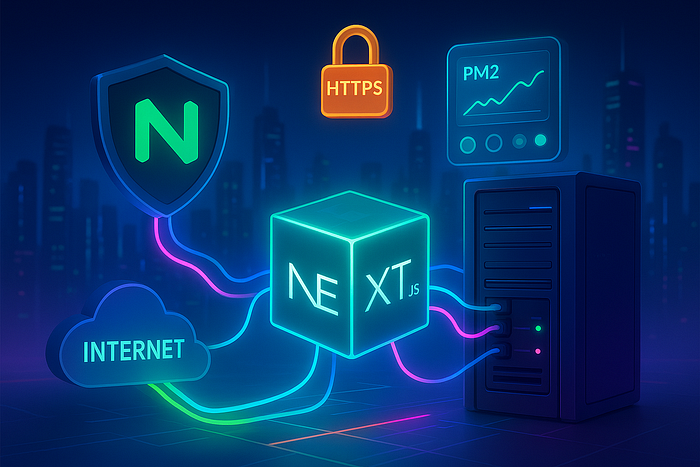
Introduction: From Localhost to Production
Running a Next.js app locally with npm run dev feels smooth and fast. But moving that same app into production often raises questions:
- How do you keep the app alive if it crashes?
- How do you serve it over a domain instead of
http://localhost:3000? - How do you make sure it survives a server reboot?
- And what about SSL security for HTTPS?
This is where PM2 and Nginx come in. Together, they give you a production-ready stack that's reliable, secure, and easy to manage.
Prerequisites
Before you start, make sure you have:
- A Linux server (Ubuntu 20.04/22.04 recommended)
- SSH access to the server
- A domain name (optional but highly recommended)
- A Next.js project ready to build or already built
Step-by-Step Deployment Guide
1. SSH into Your Server
ssh username@your_server_ip2. Install Node.js via NVM
Using NVM makes upgrading and switching Node.js versions painless.
# Install NVM
curl -o- https://raw.githubusercontent.com/nvm-sh/nvm/v0.39.7/install.sh | bash
source ~/.bashrc

# Install Node.js v20
nvm install 20
nvm use 20
nvm alias default 20
👉 Pro Tip: Always align Node.js versions between local dev and production to avoid dependency mismatches.
3. Install PM2 Globally
npm install -g pm2PM2 ensures:
- Your app restarts if it crashes
- It auto-starts on system reboot
- You can run multiple apps with different configs
4. Upload or Clone Your Project
git clone https://github.com/yourusername/your-nextjs-project.git
cd your-nextjs-project
5. Install Dependencies & Build Project
npm install
npm run build
6. Start Next.js with PM2
pm2 start npm --name "next-app" -- run start
pm2 save
pm2 startup
Your app now runs on port 3000 by default.
👉 Use pm2 logs next-app for troubleshooting in real time.
7. Create a PM2 Ecosystem Config
PM2 allows centralized config management using an ecosystem.config.js file.
touch ecosystem.config.jsPaste:
module.exports = {
  apps: [
    {
      name: "next-app",
      script: "npm",
      args: "run start",
      instances: 1,   // or "max" for multi-core cluster mode
      autorestart: true,
      watch: false,
      max_memory_restart: "500M",
      env: {
        NODE_ENV: "development",
      },
      env_production: {
        NODE_ENV: "production",
        PORT: 3000
      }
    }
  ]
};
Start it with:
pm2 start ecosystem.config.js --env production
pm2 save
👉 This makes your deployment more maintainable and suitable for multiple environments.
8. Manage Environment Variables
Create a .env.production file:
NEXT_PUBLIC_API_URL=https://api.example.com
CUSTOM_SECRET=my-secret
Update next.config.js:
const nextConfig = {
  reactStrictMode: true,
  env: {
    NEXT_PUBLIC_API_URL: process.env.NEXT_PUBLIC_API_URL,
    CUSTOM_SECRET: process.env.CUSTOM_SECRET
  }
};
module.exports = nextConfig;
Rebuild & restart:
npm run build
pm2 restart ecosystem.config.js --env production
👉 This setup ensures sensitive data stays outside your codebase.
9. Install & Configure Nginx
Install Nginx:
sudo apt update
sudo apt install nginx
Create a config:
sudo nano /etc/nginx/sites-available/nextjsPaste:
server {
  listen 80;
  server_name yourdomain.com;

location / {
    proxy_pass http://localhost:3000;
    proxy_http_version 1.1;
    proxy_set_header Upgrade $http_upgrade;
    proxy_set_header Connection 'upgrade';
    proxy_set_header Host $host;
    proxy_cache_bypass $http_upgrade;
  }
}
Enable & test:
sudo ln -s /etc/nginx/sites-available/nextjs /etc/nginx/sites-enabled/
sudo nginx -t
sudo systemctl restart nginx
10. Add Free SSL with Let's Encrypt
sudo apt install certbot python3-certbot-nginx
sudo certbot --nginx -d yourdomain.com
Congratulations 🎉 — your app now runs securely over HTTPS.
Real-World DevOps Tips
- Scaling: Use
instances: "max"in PM2 to leverage all CPU cores. - Zero-downtime: Use
pm2 reload next-appinstead ofrestart. - Monitoring: Integrate PM2 with Grafana or use
pm2 monitfor quick insights. - Security: Always enable SSL; combine with a firewall like UFW and intrusion prevention like fail2ban.
Final Checklist
- App accessible via domain or IP
- SSL enabled for HTTPS
- App auto-restarts on reboot (thanks to PM2)
- Config manageable via
ecosystem.config.js
Conclusion
Deploying Next.js on a Linux server doesn't need to be intimidating. With Node.js, PM2, and Nginx, you get a battle-tested setup that balances simplicity with reliability.
💡 Like & Share if you found this useful! 🔔 Follow to stay updated. 🌟 Enjoyed this article? Give it 50 claps!