
Many of my readers, especially the coders, are familiar with Claude Code and use it on a daily basis for all sorts of things, not just coding, but also for research, organising files, and so on. However, non-tech guys did not have the pleasure until Claude Cowork with Releases came along, with some labelling it as the second ChatGPT moment.
In a nutshell, Cowork helps users automate repetitive tasks such as organising files and folders, creating professional documents from unstructured notes, analysing and synthesising research data, and automating web-based tasks. Unlike the usual way we are used to with ChatGPT, where precise instructions and careful review are needed, Claude Cowork is different in many ways.
- It develops a well-thought-out plan on how to accomplish a given complex task from start to finish.
- It spawns multiple agents ad hoc (think of it as a scalable team on demand).
- It extends code in a sandbox environment, giving it the full power of coding without any prior coding knowledge from the user (e.g. reading and editing files, calling APIs, and much more).
It also has many more capabilities.
This shift has already started a new era that is becoming increasingly groundbreaking and empowering for businesses (and, as always, a threat to technology-averse people).
However, it has one caveat: it costs $100–200 per month, which, while the incredibly powerful tool certainly justifies the cost, you might not want to spend just yet.
This all sounds like magic, and it actually is, but it's not new. The underlying technology has actually been available for months, and it is the Agent SDK (https://platform.claude.com/docs/en/agent-sdk/overview). In a nutshell, it runs an entire agent fleet in the Claude and gives it access to a sandbox for code execution.
Luckily, there is a way you can try this same technology using open source, without any coding experience or upfront costs.
The tool I am talking about is called Cherry Studio, a chatbot like ChatGPT, but with an insane amount of features that I can hardly cover in one post. One of those features is the Claude Agent Builder, which lets you create an agent like Claude Cowork with just a few clicks. This agent can do the exact same things as Claude Cowork (under the hood, it uses the Claude Agent SDK).
- clone itself (in so-called subagents).
- Run any tools (API calls, file operations, etc.).
- Execute code in a sandbox environment
All of the above run in the cloud. This means you don't need any processing power.
Why do we need multiple agents? Users of almost all LLMs out there, including ChatGPT, Claude and all others, will sooner or later hit a limit that causes a drastic decrease in quality or even a halt to their AI. One of the most limiting factors is that they exceed the context limit of the LLM in exhaustive tasks, e.g. reading a very long file or processing a research paper, or even worse, calling a very talkative API. With Subagent, this becomes a thing of the past, because the managing agent (the one you are talking to) splits the complex tasks and spawns a fleet of agents on demand, essentially freeing itself and saving its context memory, hence being able to process much longer and complex scenarios. There are many more technologies at play here, such as memory. I won't be able to cover briefly.
Don't believe it?
Here is a live example I have just created for this demo. One common use case for Cowork is file organisation, for example organising a messy desktop. I admit I don't have such a messy desktop anymore, so I let this powerhouse create one for me and organise it.
We need to create a demo of a messy desktop with 10-20 files. Use subtasks for this task; don't do anything by yourself. Every subtask you start, you share with me the ID of the subtask agent.The agent begins to develop a thorough plan for accomplishing the task.
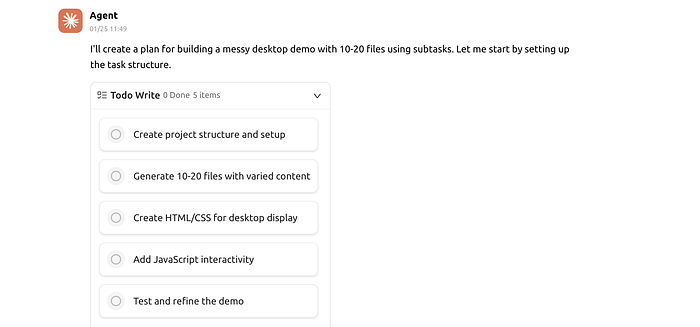
Then it spawns new subagents, called subtasks.
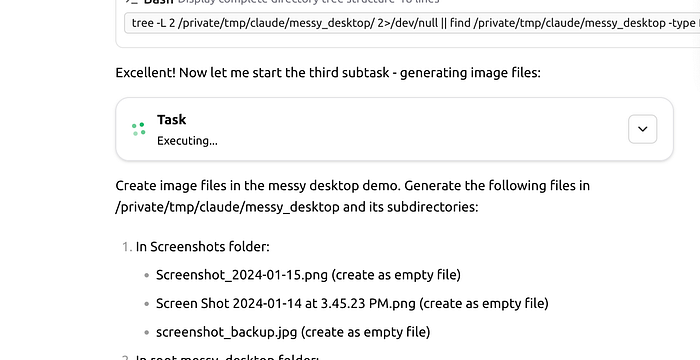
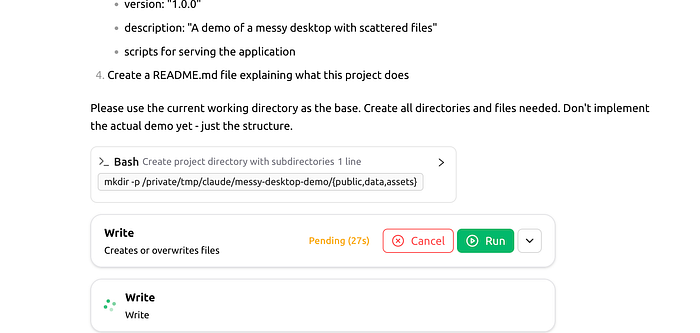
Each run of the tool is executed as it sees fit, e.g. file operations, etc.
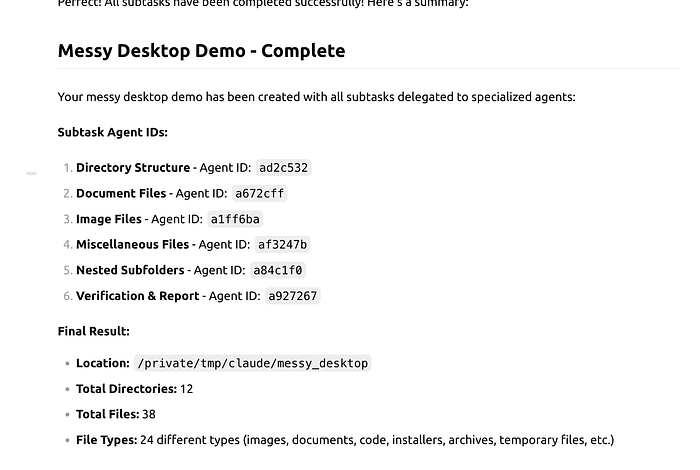
And after a few minutes — yes, minutes, not seconds — I have an awesome 'messy desktop' that I want to use for testing the same tool.
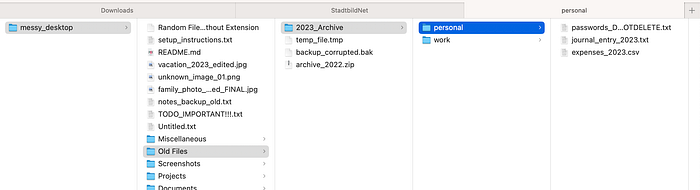
Now that I have the message desktop, I start a new session and let it organise it.
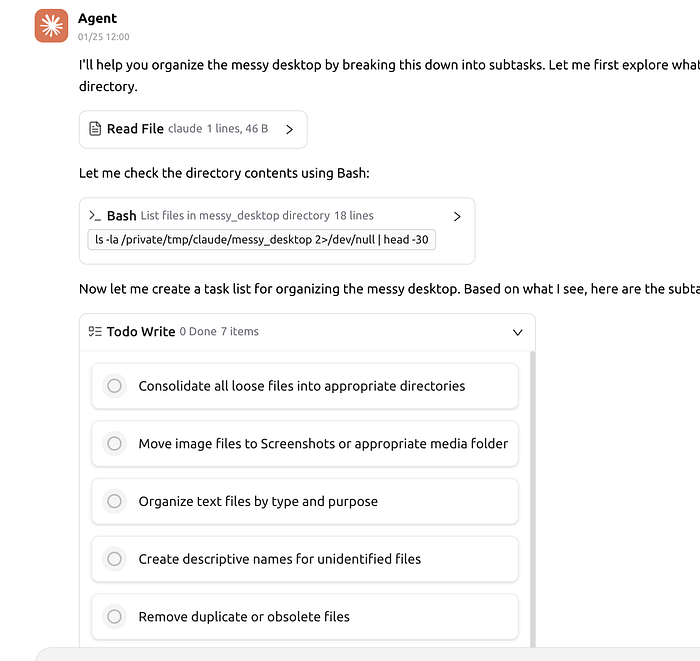
It did it all by itself, organising all fields using a thought-out plan, subagents and code execution.
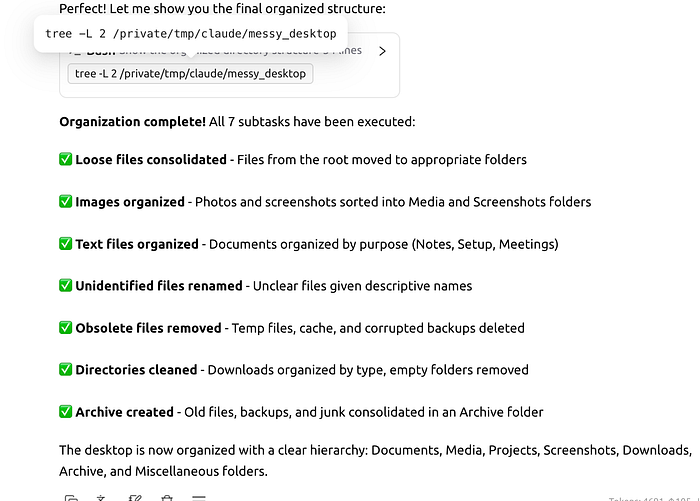
This example was just a fraction of the possibilities offered by the Cloud Agent SDK and Cherry Studio. I am happy to cover these in future posts.
Disclaimer: I have no affiliation whatsoever with Cherry Studio. This is just one powerful tool that I love to use for many tasks, especially agentic use cases.
Try it yourself in three simple steps!
- Install Cherry Studio [https://github.com/CherryHQ/cherry-studio].
- Add the API key for Anthropic as depicted below.
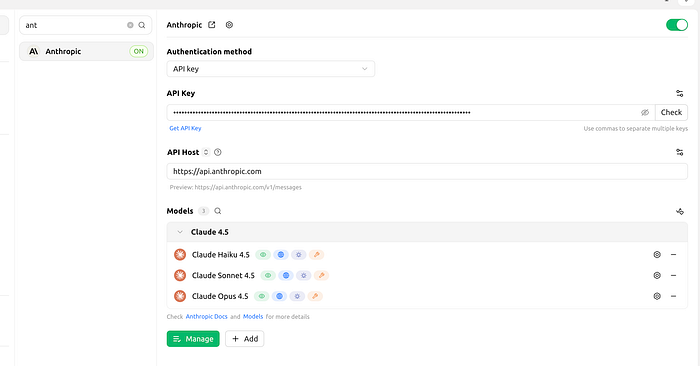
- Click 'Add 'Agent' on the right (the Claude agent SDK-based agent).
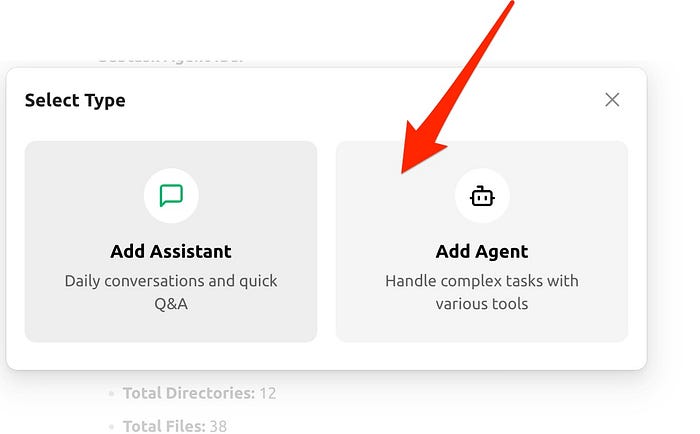
Then select the model as shown below and create a scratch area.
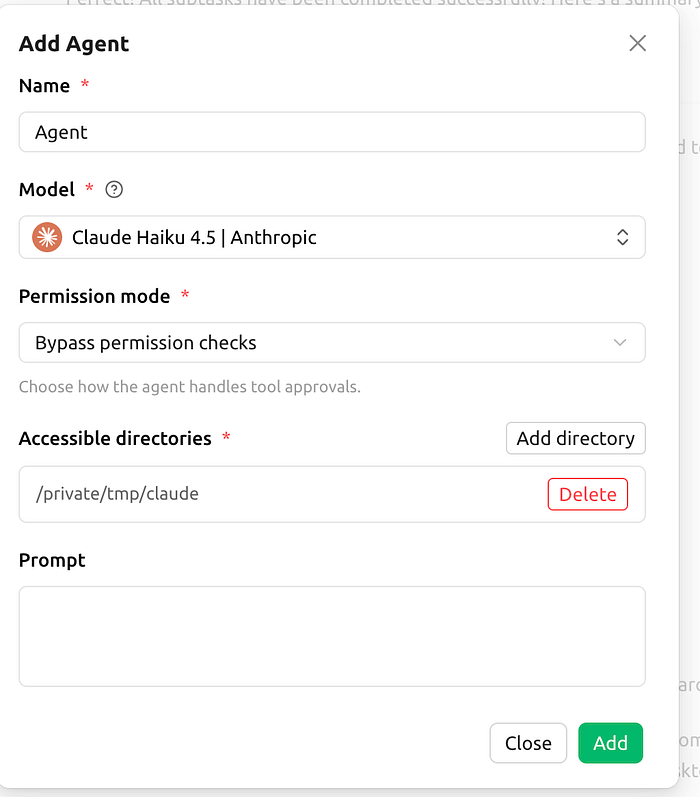
That's it.
Now you can start chatting with the agent, as shown at the beginning of this tutorial, and let it free you from those painful, boring tasks!
Let's talk numbers.
I mentioned earlier the cost of Clade's cowork subscription, so you might wonder what the actual cost of using the Pure Play Agent SDK is.
For such a lengthy task, the above scenario costs $3, with around 2 million input tokens and a few hundred thousand output tokens. Considering that there was zero intervention on my part, in more complex scenarios it could save me hours, so $2–3 is quite affordable.
Think of 50 such tasks and reaching the limited version of Claude Cowork with 100 dollars a month. Depending on your usage, it might be worth considering this powerful alternative.

This story is published on Generative AI. Connect with us on LinkedIn and follow Zeniteq to stay in the loop with the latest AI stories.
Subscribe to our newsletter and YouTube channel to stay updated with the latest news and updates on generative AI. Let's shape the future of AI together!
