When 2025 started, I didn't have "dumping Windows" on my Bingo card. Sure, I've grown steadily more weary of Microsoft's constant push toward AI and tracking that can only be dislodged with a sledge hammer. But sometimes you just have to use Windows, right?
For all of its flaws, I've felt stuck in the Windows world. I can't put macOS on my two rendering computers, and I need that extra GPU power for rendering my wallpaper packs.
Some of the software I used daily runs only on macOS or Windows, and as much as I love my MacBook, I needed more power than it could give me for some tasks.
That left me glued to Microsoft's dumpster fire of an operating system, like it or not. That is, until recently.
And now I can finally say "adios" to Windows at last.
The growing roar of my frustrations with Windows 11
Having used Windows for over 30 years, it doesn't feel foreign to me. I know how to tweak settings, change policies, and more or less optimize things.
But even so, I've felt so utterly disrespected my Microsoft's "we-know-best" attitude despite my settings. The blatant ads in an operating system I paid for. The reboots for updates in the middle of the night, interrupting my renders. The constantly-running bloat of Edge and telemetry. Copilot being forced into everything, even NOTEPAD? What did Notepad ever do to you, Microsoft?
That's to say nothing of the constant updates breaking things.
I've had enough.
It's become clear to me that Microsoft no longer views Windows as a serious operating system built for serious work. It's an ad and tracking platform built for pushing unwanted AI features.
How could a serious company ship a product this bad?
So I'm done. I'm tired of feeling like I don't own my computer.
The time for an alternative? Years ago.
The second best time? Now.
What about macOS?
Alongside my rendering desktops, I also have my MacBook Pro. I love macOS and use it frequently. It's a solid operating system with great software support, and I like so much about it. Not the least of which is the fact that it's not Windows.
But, unfortunately, macOS isn't an option for my rendering desktops. Apple has chosen to limit macOS to Apple hardware, and my custom-built desktops? Not Apple hardware.
So they're stuck with Windows.
Or are they?
Considering a switch to Linux
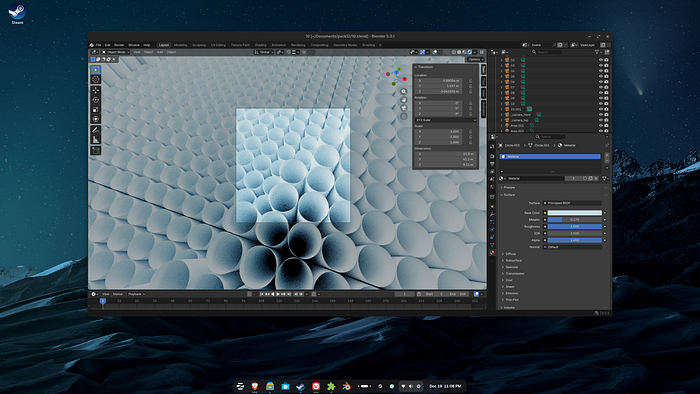
I work pretty constantly in Blender, a free and open source 3D design program. I started playing with it back in 2007/2008 on by then-decent MacBook Pro.
When that Mac finally kicked the bucket, I moved over to a Windows system, and I've been using Blender mainly on Windows ever since.
But I'd heard a couple of times over the years that Blender runs better on Linux. "That's cool, I thought, but I don't really want to have to switch." I was hesitant.
In what I can only describe as an "ah screw it" move, I blew away my Windows installation on my Dell XPS 17 and fired up Ubuntu 25.10.
It had been a while since I'd really tried Ubuntu, and never with the intent of using it long term. But I was curious.
To my surprise, installing the drivers for my NVIDIA GPU was stupidly easy, and I was up and running with a fully functional Blender install in just a few minutes.
"Surely it can't be this easy. Can it?"
But my surprise continued when I did a bit of testing. I pulled up a couple of my Blender projects and hit render. Amazingly (though I probably shouldn't have been amazed) my render times were substantially shorter on Ubuntu than they were in Windows 11.
Same hardware. Same .blend files. Better results?
That was more than enough to get me seriously considering moving my two rendering desktops over to Linux.
Deciding to take the leap
Ironically, my plans to switch my creative work started with the decision to move one of my Windows 11 Pro licenses to my newly purchased Framework Laptop 13.
Being too cheap to buy a new license of Windows at the moment, I figured I'd be good with using Windows on the Framework and just one of my rendering systems, while the other rendering system sat in the corner until I could get a new Windows key.
But then I thought, "what if I just turn both of the rendering systems into Linux systems? I know Blender works with Linux, so why not?"
And so I did.
I installed a fresh copy of Ubuntu 25.10 on each machine, set up GNOME Remote Desktop so I could remote in to them from my laptop, and was good to go.
Because I had a new wallpaper pack in progress, I fired up Blender and started a render on both desktops, and it worked… beautifully.
Though I did run into a minor roadblock which I'll mention in a moment.
But what about…
Of course, as soon as I'd made the switch, I remembered all the apps that I can't use without macOS or Windows.
Affinity, for example, is only native to Windows or macOS.
The image compression tool I use to prepare wallpapers for my partnership with WallpaperZ, only works on Windows and macOS. Linux need not apply.
I'd either need to get those working or find alternatives.
Now at this point, I should probably be up front with you. If you think you're going to find a native Linux equivalent to some of the creative apps that only work on Windows or macOS, you're going to be sorely disappointed.
Adobe Illustrator or Photoshop? Not going to happen. Affinity? Not likely.
Most creative apps are written exclusively for macOS and Windows. But Linux can definitely join in on the creative party, as long as you're willing to take your skills to a different app here and there.
If you're willing to learn some new tools and slightly different workflows, you might be surprised by just how capable software on the Linux side has become in the past few years.
For video editing
I've found Kdenlive to be quite good. And DaVinci Resolve also works natively on Linux now, provided you have a discrete GPU.
For vector work
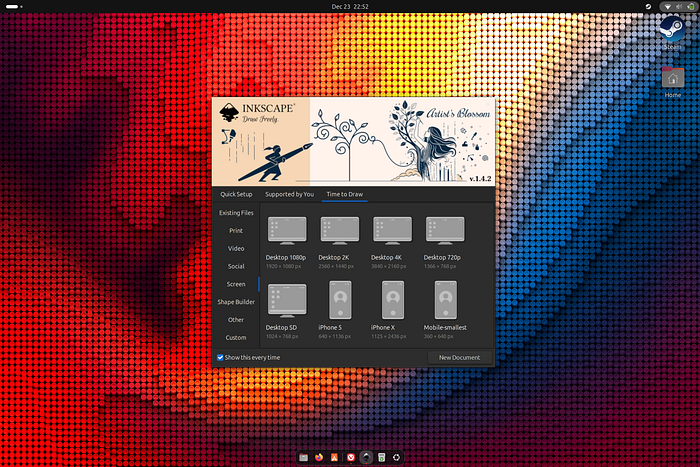
Inkscape. I first tried Inkscape many years ago, long before I got into Illustrator and Affinity. Back then it was… okay. But it's grown a lot since, and now it's actually quite impressive. It's not as capable as something like Affinity, but for what I need it to do? It'll work.
For other images
GIMP. While it's definitely no Photoshop, GIMP or "the GNU Image Manipulation Program," works perfectly well for basic effects, color grading, and so on.
To be clear, if you absolutely need the functionality of Photoshop, then Photoshop doesn't have many alternatives. But GIMP has grown to the point where it's actually not a bad little editor.
For web design
I use Figma and Elementor for most of my web design work. But what about local staging sites? For that, I use Local. It works great on macOS and Windows. But it also works on Linux. Go figure.
Figma works beautifully as a web app, so I don't need the Mac or Windows desktop app. And tools like Webflow and Elementor? Those work in a browser and don't care whether I'm using macOS or Windows or Linux. As long as I have an up to date web browser, I'm good to go. And no matter which OS I use, I can use Brave, Firefox, Vivaldi, Chrome or the like.
Whether or not there are good analogues for your needs depends largely on your workflow and the types of files you need to work with. But for me, this collection of apps seems about right.
More and more things can be done through a web browser these days, and web design especially seems less dependent on certain apps than it once did.
Gaming works too
I don't game nearly as much as I once did, being a 37 year old, married IT guy. I spend most of my time on my computer working, or working on my own freelance projects.
But I still find time to game here and there.
To my surprise, Linux has been great for gaming. Far better than it once was.
Sure, at one point, Linux and gaming would hardly have been put together in the same sentence, unless that sentence was "Linux is bad for gaming."
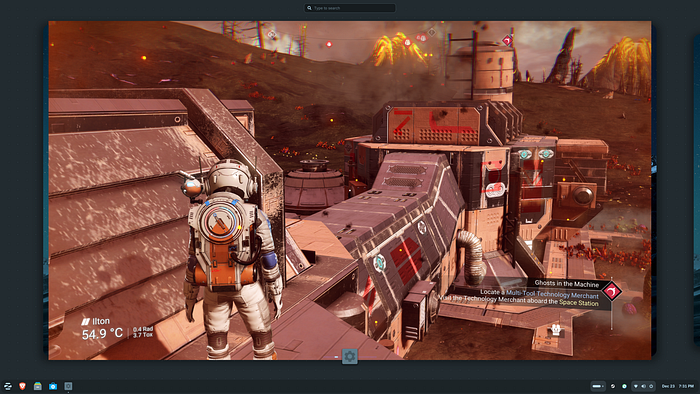
Today though, thanks in no small part to Steam's Proton compatibility layer, many games work perfectly right out of the box. Even big titles like Helldivers 2, No Man's Sky, Everspace 2, and the like.
Not all do, of course, and before you switch to Linux for gaming, check to see if the games you want to play actually work well.
More and more, Linux is becoming a viable option for gamers looking to escape the hellscape that is Microsoft Windows. No, it's not perfect, but it's getting really close to it.
Roadblocks along the way
Switching my systems to Linux hasn't been a completely smooth experience though.
I don't game often, but It's nice to know that gaming works well for the most part, thanks to Steam's use of Proton. Not every game works though. Some work well. Some work with tweaks, and some don't work at all. Clair Obscur: Expedition 33, for example, I can't get to work reliably on my main desktop, but it does work well on my laptop. Go figure.
I also had a few issues with Blender on Ubuntu 25.10 after a while. There's currently a bug in the version of the GNOME desktop environment that interferes with Blender when opening a render window or the preferences pane, causing them to appear as gray blocks on the screen.
Sometimes I can bypass this issue by pressing the Super key + the up arrow, but that hasn't always worked. And after a while that workaround stopped working at all. The bug is supposed to be fixed in an updated version of GNOME, but Ubuntu won't get the updated GNOME environment until its next release, Ubuntu 26.04, in April of 2026.
So, until we get the bug fix with Ubuntu 26.04, I decided to switch from Ubuntu to Zorin OS on my rendering machines, and it's working great.
I feel like I own my computer again
Windows used to be a great operating system. It was relatively stable and fast (minus Windows Me and Windows Vista, of course). But starting with Windows 10 and much worse in Windows 11, I've had this nagging feeling that Microsoft doesn't think I really own my computer.
The constant pushing of updates that break things, of apps I didn't ask for, of Copilot integration for everything to the point of absurdity… I'd started to wonder: "who really owns this computer?" Microsoft clearly thought they do.
Linux is far from perfect, and I won't tell you that it's all roses. There are things I've had to relearn and figure out.
But has it been worth it? Absolutely.
I don't feel like I'm exaggerating by saying that I truly feel like I own my own computer again. Using Windows felt like renting my hardware from a company that wants nothing more than to collect my data and get me to use their garbage AI tools.
Using Linux, even though things work differently and I've had to find alternatives for a couple of things, I feel like my computer is actually my computer again.
I don't have to live with the feeling that everything I do on my own computer generates scary amounts of telemetry that gets sent to the dark recesses of Microsoft's back side, and if I don't like how something is configured, I can change it.
What I'll be using going forward
As you may remember, I'm still very much a Mac guy. Unlike Windows 11, macOS feels pretty stable. Liquid Glass and all.
So even as I fire Windows from my creative workflows, I do plan to continue using macOS. In the cases I need to use something like Affinity, I can fire up my Mac and do what I need to do.
The rest of the time, I plan to be running a mix of Zorin OS and Ubuntu.
Zorin OS will be on the two rendering desktops. Ubuntu will be on my Framework Laptop 13 and ThinkPad.
These are two excellent Linux distributions, each with a long list of strengths.
What I won't be using for creative work? Windows 11.
Microsoft has proven to me over and over that they don't care about real work. They've shown that they think they own my computer.
They don't.
The company that renamed "My Computer" to "This PC" no longer has control over this PC.