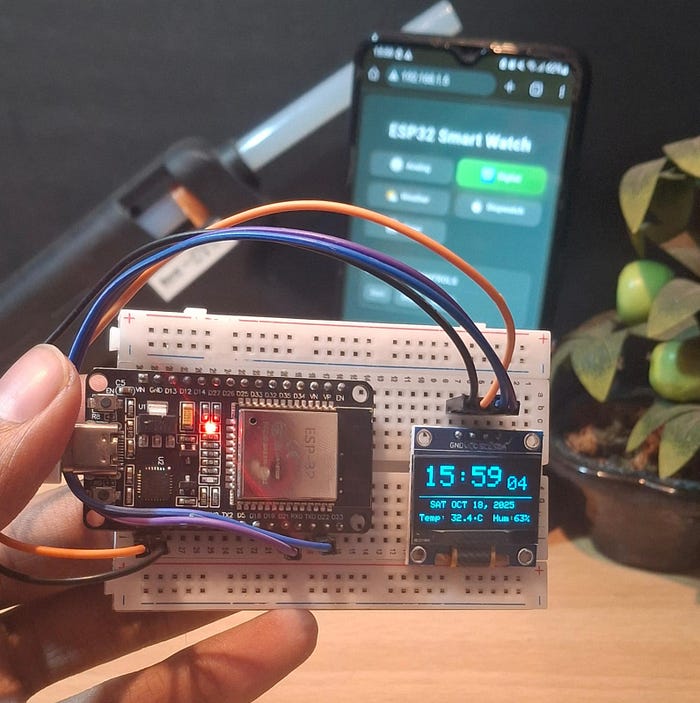
Have you ever thought of building your own smartwatch instead of buying one? In this blog, I'll walk you through how I created a DIY Smartwatch using the ESP32 microcontroller and a small OLED display. This project packs some really cool features like:
- Analog Clock Mode
- Digital Clock Mode (12/24 hr)
- Weather Information (live from API)
- Stopwatch with millisecond precision
- Timer with custom seconds input
- Automatic Time Sync via NTP (so even after power off, time stays correct!)
Perfect for DIY electronics lovers, IoT beginners, and makers who want to explore what's possible with a tiny chip and some creativity.
Visit my YouTube Channel
Components You'll Need
- ESP32 Development Board
- 0.96" OLED Display (I2C, SSD1306 driver)
- Jumper wires & breadboard (or you can solder later for a wearable form)
- Micro USB cable for programming
- (Optional) A 3D-printed watch case
Circuit Diagram
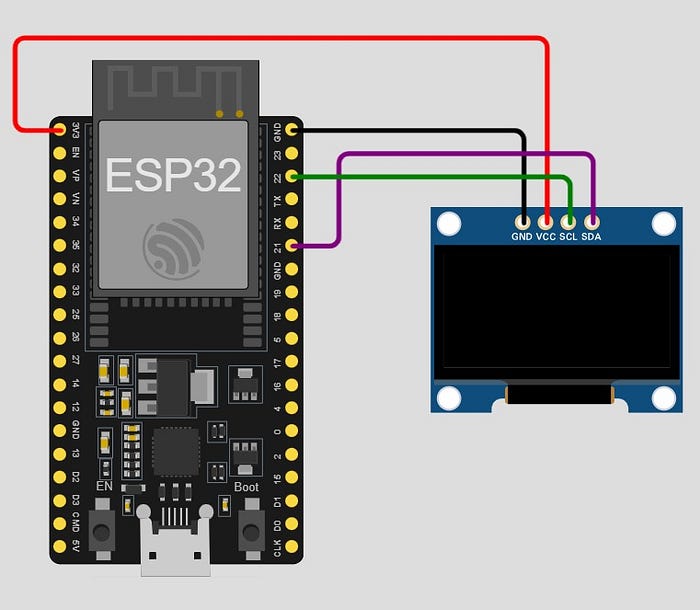
The circuit is very simple — just connect the OLED display via I2C:
- VCC → 3.3V
- GND → GND
- SCL → GPIO 22
- SDA → GPIO 21
I used the Arduino IDE for coding. You'll need to install from Arduino IDE Library:
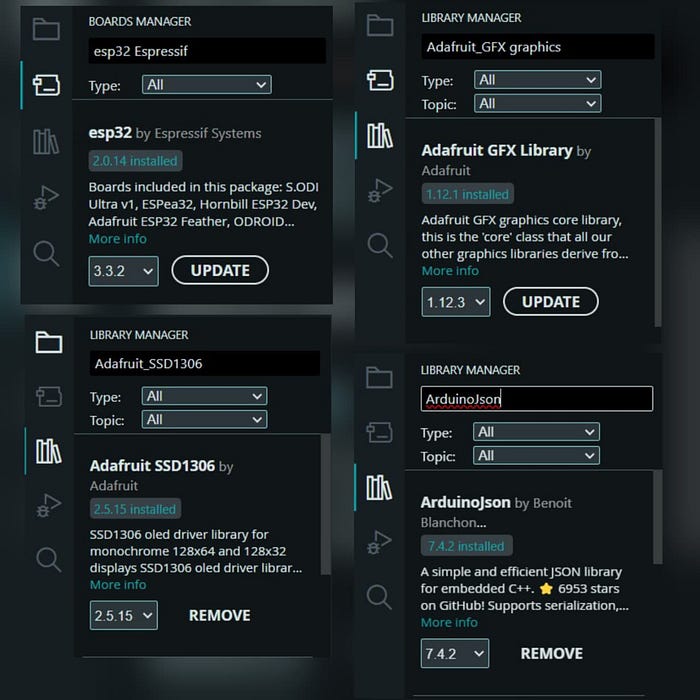
Adafruit_SSD1306&Adafruit_GFXlibrariesArduinoJsonfor parsing API responsesWiFi&HTTPClient(already in ESP32 core)
👉 Important:
- Put your WiFi SSID & password in the code.
- Get a free Weather API key from WeatherAPI.com .
In the code, just paste your key where it says YOUR_API_KEY_HERE.
You can Download the code HERE or from HERE (docs)
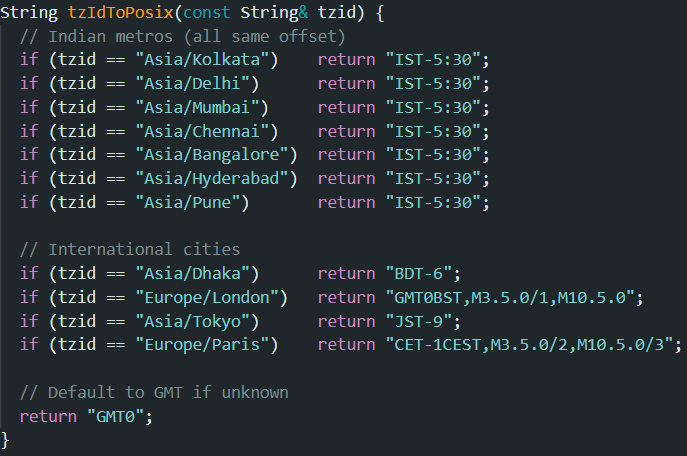
For now i set only these city's time zone but you can add more cities according to your need from this Github repo.
Features in Action
After uploading, open the Serial Monitor to get the ESP32's IP address. Open that IP in your browser → You'll see a Web UI where you can switch modes easily from your phone or PC.
- Analog Clock 🕰️ — A clean, minimal clock face with date.
- Digital Clock 🕒R — ig bold numbers, date & day clearly visible.
- Weather Info 🌦️ — Current weather, temperature, and condition of any city (updates every 5 minutes).
- Stopwatch ⏱️ — Ultra-fast with start, stop, and reset controls.
- Timer ⏳ — Set in seconds and get an accurate countdown.
And the best part → Time never drifts. Even if you turn off ESP32, it resyncs via NTP when powered on.
Why This Project is Special
- No need for an RTC module — NTP keeps time correct.
- Portable IoT project that can be extended (fitness tracker, notifications, etc.).
- Works like a mini smartwatch but costs less than $10.
- You can learn about APIs, IoT, and OLED graphics in one project.
For more Projects Follow me on INSTAGRAM and join my TELEGRAM channel