Introduction:
In the vast landscape of cybersecurity tools, Findomain stands out as a versatile and powerful domain discovery tool. Designed to streamline the process of finding subdomains, Findomain provides security professionals and penetration testers with a valuable asset in reconnaissance. In this blog post, we will guide you through the installation process and showcase the basic usage of Findomain.
Installation:
To get started with Findomain, follow these simple steps to install it on your Kali / Linux system:
- Download the Findomain release:
wget https://github.com/Findomain/Findomain/releases/download/9.0.1/findomain-linux.zip- Unzip the downloaded file:
unzip findomain-linux.zip- Set executable permissions:
chmod +x findomain- Move the Findomain executable to a directory in your PATH (for dependency requirements):
sudo cp findomain /usr/bin/findomainUsage:
Now that Findomain is installed, let's explore some of its basic usage scenarios.
- Help Command:
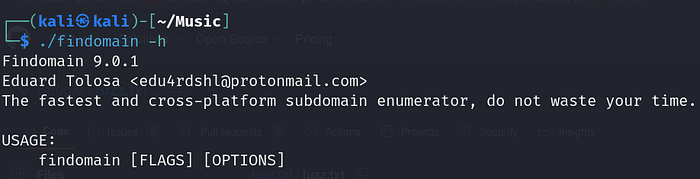
To access the help menu and explore available options, use the following command:
./findomain -helpThis will display a list of available commands and their descriptions, giving you an overview of Findomain's capabilities.
- Finding Subdomains:
The primary function of Findomain is to discover subdomains associated with a given domain. To do this, use the following command:
./findomain -t example.comReplace "example.com" with the target domain you want to analyze. Findomain will then search for and display all discovered subdomains.
- Output to a File:
Save the results to a file for further analysis or documentation. Use the following command to redirect the output to a file:
./findomain -t example.com -oThis command will create and store the discovered subdomains in the file (example.org.txt in this case).
Conclusion:
Findomain proves to be an invaluable asset in the realm of cybersecurity, offering a streamlined approach to subdomain discovery. By following the installation steps and understanding its basic usage, security professionals, bug bounty hunters can incorporate Findomain into their toolkit for comprehensive reconnaissance.
Remember to explore additional features and options provided by Findomain to tailor your subdomain discovery process according to your specific needs. Stay vigilant and leverage the power of Findomain in securing your digital assets.
Note: Keep an eye on the official Findomain GitHub repository for any updates or changes to the tool.
Thank You For Reading, Hope You Liked It…!!! 😊
Ravindra Dagale 🙆♂️ Security Researcher | Information Security Connect at : Instagram | YouTube
Support Our Work 💌 : BuyMeACoffee! ☕️