Are you struggling to organize your life?
Wanna be more productive?
Good! In this article, I will share with you 4 Apps that I use to boost my productivity.
So let's get started!
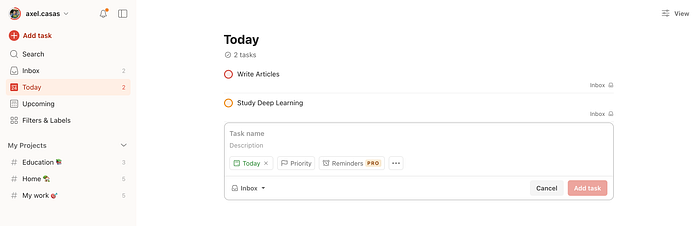
Top 4. TodoIst: Organize Your Day's Highlights
As the name suggests, todoist is a simple application to create a checklist for your day's highlights.
Checklists are vital for productivity, as they allow you to see the topics you need to work on for a day.
When I wake up, the first thing I do is to write down all the highlights for my day and assign them a priority.
Todoist allows you to do this and more, like a specific date, a reminder, or an hour, etc.
The app is free to use! And also has a Google Extension :)
By doing this, you'll never forget what you need to do for the day and make information visible of all your responsibilities.
Awesome, isn't it?
Top 3. Trello: Organize Your Projects

Trello allows you to create a beautiful organization of all your projects.
You can make calendars or boards, where you can use different columns, and assign notes, checklists, descriptions, etc.
For example, when applying for a scholarship I made a Trello Board and added everything I needed to apply on there.
I used 3 columns: To Do, Doing, and Done.
This made all the information visible to me.
When I finished something or got the paperwork that I needed for the application, I checked the task and Trello gave me the percentage of completion of everything.
The best part?
You can share your Trello with other people! Or even work in a team!
Top 2. Focus Keeper
If interested, I already talked about this app when writing about Ultralearning Principle N2: Focus.
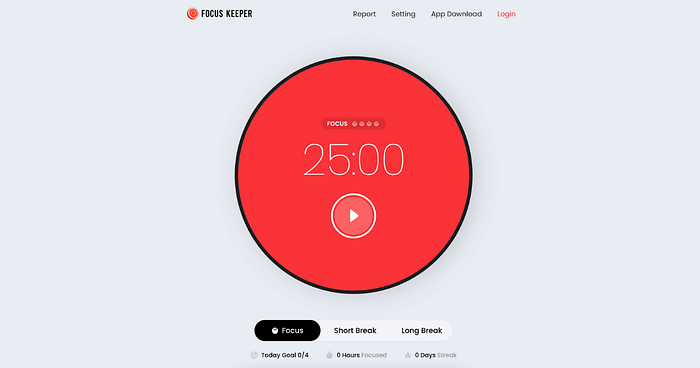
Focus Keeper allows you to create Pomodoros.
If you're not familiar with it, it's a technique to focus on a task for the time you want followed by a break.
For example, I could say "I'm gonna study 1 Pomodoro".
That means that I will focus on studying for 25 minutes and then take a break of 5 minutes.
I know it sounds silly, but it's absolutely helpful.
And research has suggested that the best way to learn is by organizing your study sessions in brief periods, and not hours.
Focus Keeper will help you to achieve this and be more productive :)
Top 1. Obsidian: Organize Your Second Brain
Ah, man … I LOVE Obsidian.
If you don't take notes about what you're working on, you'll forget it.
So to master productivity, you need to store your knowledge somewhere else: in your second brain.
I use Obsidian as my second brain, and it's my secret and the base of all my productivity.
Obsidian is another App for note-taking (such as Notion or Evernote), but what makes it so special for me is its facility to personalize it.
And by using tags, you can connect different notes with other ones that are related, making a universe of connected notes:
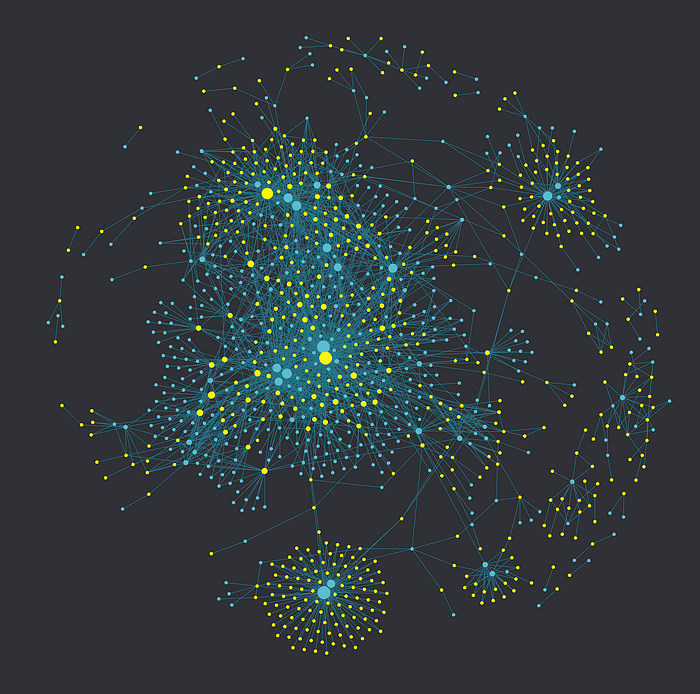
This App is the most important thing on my computer.
There, I store almost all my knowledge.
Conclusion
Hurra!
Now you have 4 great apps to boost your productivity.
I know it was a lot of information, so let's do a recap:
- Use todoist to write down all your highlights for your days.
- Use Trello to organize all your projects.
- Use Focus Keeper to use Pomodoros in your studying sessions.
- Use Obsidian or another note-taking App as a second brain to store all your knowledge.
That's it! I hope this article was helpful to you :)
Follow me for more!
🦜 If you liked my post, please clap 👏 50 times for more content about Neuroscience, Psychology, Productivity, Animals, and Python.
And don't forget to follow me for more :)
Thanks for reading.