Non-Medium Members Can Read the Full Article by Clicking Here.
👆 👆👆👆👆
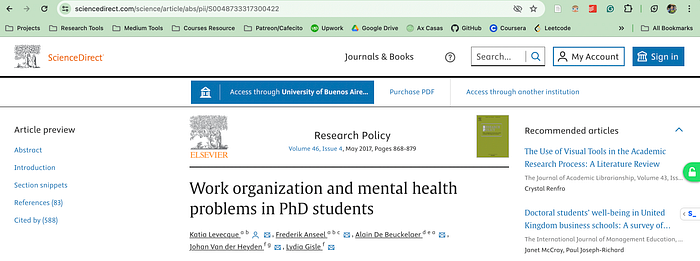
A study published in 2017 in ElSevier found that 1 in 2 PhD students experiences psychological distress, and 1 of 3 is at risk of a psychiatric disorder.
Work and the organizational context were the main predictors of their mental health.
So in this article, I will show you how I organize my work to deal with stress and pressure during my PhD studies.
🦜 Follow me to learn more about Psychology: Axel
I Was Stressed Until I Found Obsidian
So one of the main problems when doing a PhD is that you are in charge of your work and progress.
Suddenly, you have a bunch of information you need to learn, from the topics you will research to programming for data analysis.
How you study during your Bachelor's or Master's degree suddenly doesn't work, and you must find a new workflow fast.
That was when I started learning about the second brain and Obsidian.
If you plan to remember everything you must do, then you will fail.
Because our brain is a forgetting machine.
It didn't evolve to remember the past but to predict the future.
So to work properly, the brain forgets.
And this is the reason why I started building a digital one, a place to store everything I needed to remember.
And that place was Obsidian.
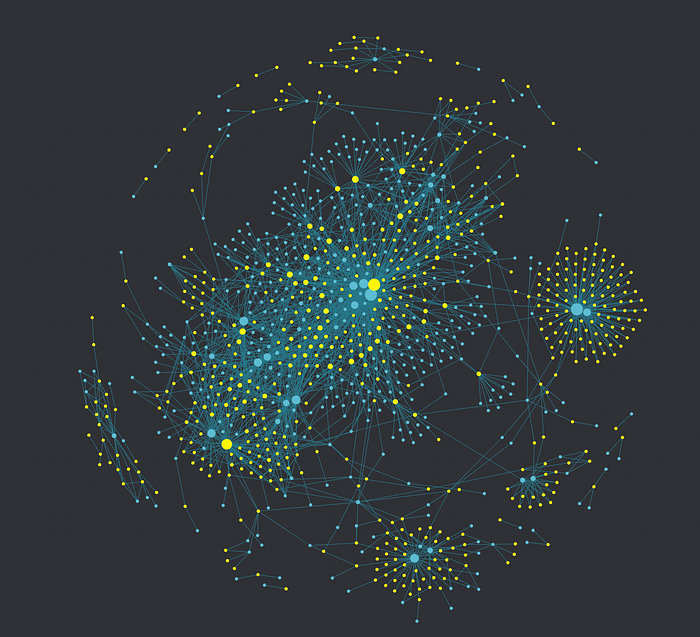
How Obsidian Improved My PhD Studies?
Obsidian works as a note-taking app, similar to Notion and Evernote.
However, there are 2 reasons why I switched from Notion to Obsidian:
- More control of my notes and personalization
- The Zettelkasten Method
The tag system in Obsidian allows you to link notes to others, creating a mini (or huge) universe of notes.
For example, these are all my notes about #birds:
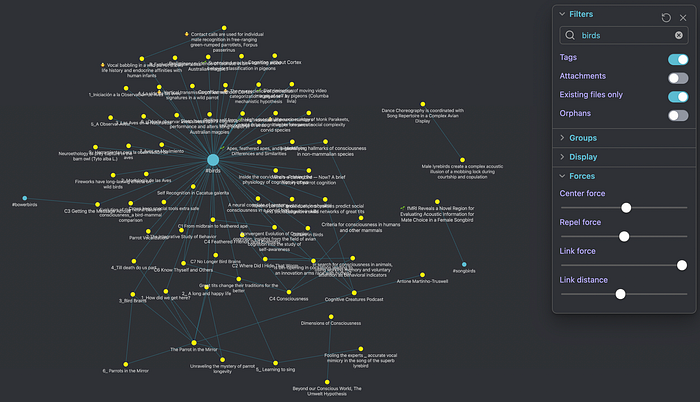
This method allows me to quickly find all the articles about a topic I'm working on.
And more importantly, I become more creative by having all the resources I use in a single place.
Use Zotero To Manage All Your Bibliography
So far I have shown you how I use Obsidian as my second brain to manage my notes.
But during PhD studies, we don't only take notes from seminars, webinars, or lectures.
No, we take notes from scientific papers.
If you store all your papers in a Google Drive folder please stop now.
Because there's a way better way to manage your bibliography: with Zotero.
When you first download (don't forget to choose the option with Zotero connector), install and open Zotero, you will see this:
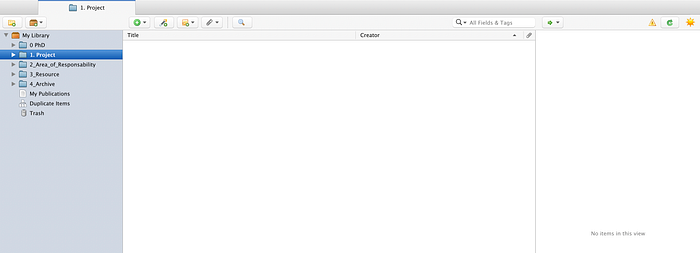
Your principal library is "My Library".
There, you can right-click and add a Subcollection, which will be those blue-like folders.
Here, I recommend you use the P.A.R.A method and organize all your work in 4 folders: Projects, Responsibility, Resource, and Archive.
What's great about Zotero is that you can easily send a paper you found to your folder using the Zotero connector.
If you missed installing it when you first downloaded Zotero, you can find it on the Google Web Store.
Then, just go to your paper link and click on the Document icon on your extensions (at the right top of your toolbar).

If you don't see your Document icon, click on Extensions and pin the Zotero connector.
That's it! Now you can send your papers to Zotero with just one click.
And you can also take highlights and notes in there!
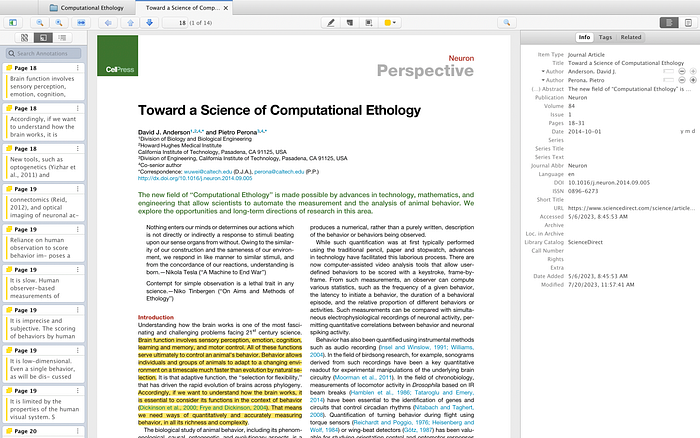
And that doesn't stop there. Zotero has an App available for IoS, and a Beta for Android.
And many plugins, with a beautiful community of developers always trying to improve Zotero.
Automate Your Note-Taking Using Zotero And Obsidian
If we only highlight what's on our research papers we will not learn from them.
However, trying to write the notes in my own words consumed a lot of my time.
But I found a way to automate this process.
Note: I will write another detailed article about how you can do this.
Overall, the idea is to take those notes we take in Zotero and send them to Obsidian.
For this, we need to install the plugin called citations in Obsidian.
If you go to Zotero and right-click on a research paper, you will find an option for "Add notes from annotations". This will create a file with all your highlights:
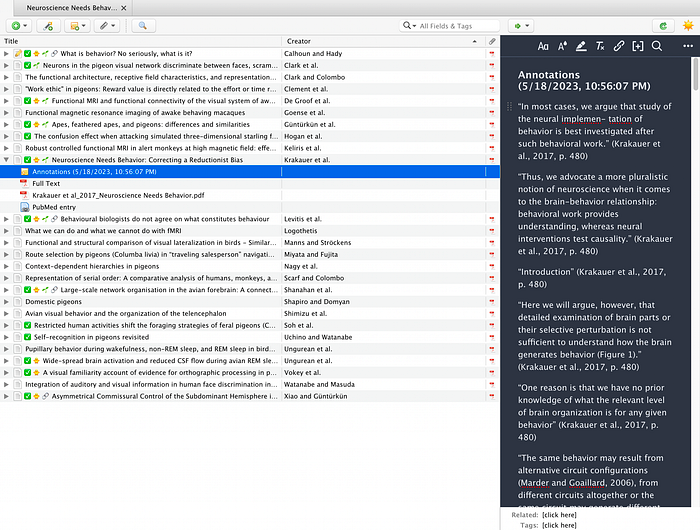
Then, I use the citations plugin from Obsidian to take those notes to my second brain.
First, you need to install this plugin set a template, and connect with Zotero using a citation database path.
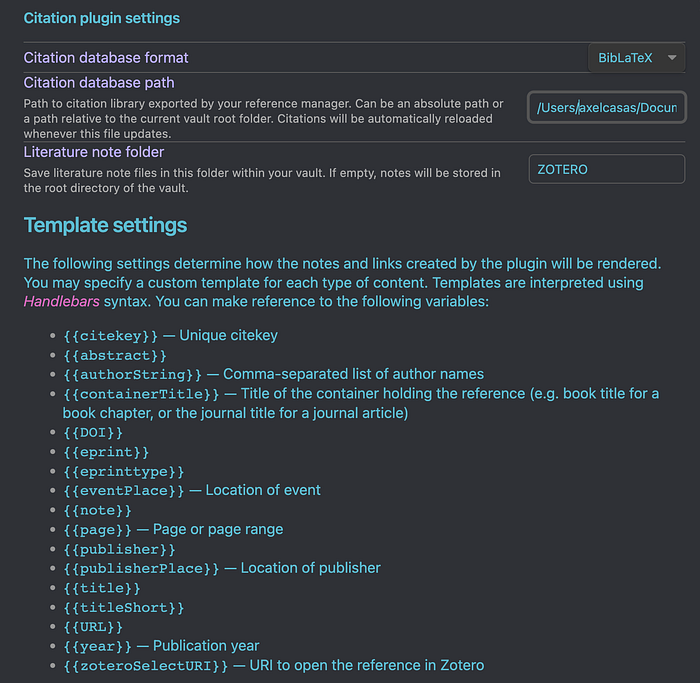
After that, Obsidian will be connected to your Zotero database.
Then, you can just search for your paper inside Obsidian:
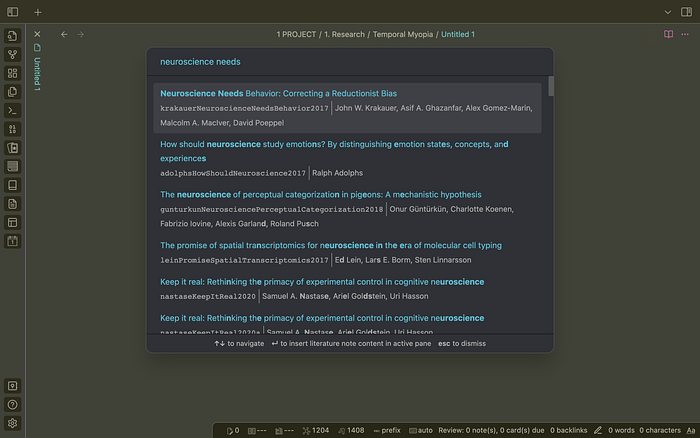
Click on it and Ualá! You will get all your notes in Obsidian with this beautiful format:
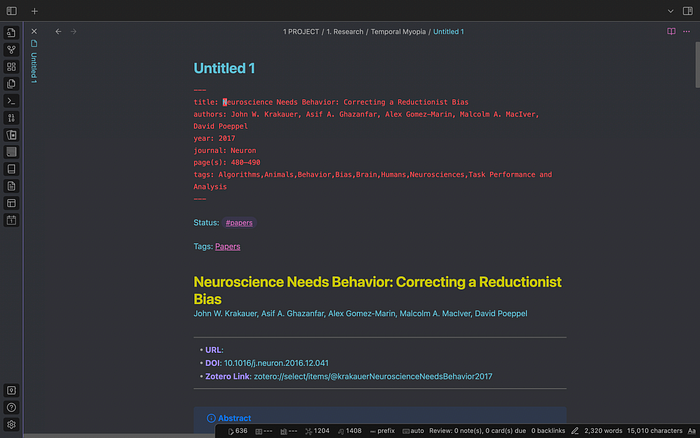
If you didn't catch it, don't worry.
I will write an article explaining this step by step.
PhD student's risk for common psychiatric disorders is mainly because of the work and the organization context.
I hope this article inspired you to develop a second brain that can make your work easier.
Although it may take you some time to set it up, do it.
It worth every second.
If you liked my article, here are some ways you can help:
👏 Clap 50 times and respond to this article
🦜 Follow me to learn more about Psychology: Axel
🗂 Subscribe to get my newest articles
You May Be Interested In:
Thanks for reading!
See you!
My Friend retro games NES SEGA