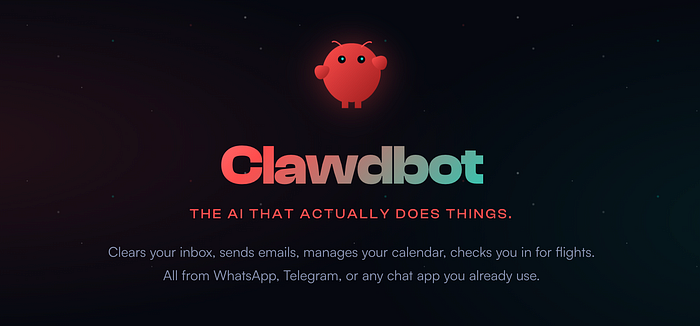
Clawdbot is an open-source personal AI assistant that runs locally on your machine and connects to messaging platforms you already use. Unlike cloud-based assistants, it operates on your hardware, giving you control over your data and the ability to extend its capabilities through plugins.
Install Clawdbot on Mac, Windows, or Linux, connect it to WhatsApp, Telegram, Discord, or other messaging platforms, and interact with an AI assistant that has persistent memory and can perform actions on your behalf.
It can read and write files, execute shell commands, control browsers, manage your calendar, send emails, and integrate with dozens of services through its skills system.
Core Capabilities
Clawdbot maintains persistent memory across conversations, learning your preferences and context over time. It has full system access — with your permission — allowing it to read and write files, run scripts, and execute commands.
Through browser control, it can navigate websites, fill forms, and extract data. The skills and plugins system enables community-contributed extensions, and Clawdbot can write its own skills when needed.
The assistant runs continuously in the background, accessible through your preferred messaging app.
You can delegate tasks from your phone while away from your computer, or have the assistant work autonomously on scheduled tasks.

Real-World Applications
On the main site users have reported what they have build with Clawdbot. Here are ten of these use cases extracted:
1. Development and Code Management
Developers use Clawdbot to manage coding workflows. One user has it clear thousands of emails, review and summarize Google Slides, build CLI tools, refactor PRs from code reviews, and orchestrate Claude Code agents for coding tasks. Another setup automatically runs tests, captures errors through Sentry webhooks, resolves issues, and opens pull requests. The assistant can review deployment logs, identify root causes of build failures, update configurations, and redeploy services — all triggered from a phone while walking a dog.
Some developers have built entire workflows around Clawdbot. One user rebuilt their entire website via Telegram while watching Netflix, migrating 18 posts from Notion to Astro and moving DNS to Cloudflare without opening a laptop. Another developer prototypes TUIs with Clawdbot and Codex, has sub-agents append code file summaries to a markdown file, optimizes architecture with GPT Pro, then has Codex implement the result in an iterative cycle.
The assistant can build skills on the fly when they don't exist — one developer needed JIRA integration, and Clawdbot connected to the API and created the skill itself. Another built a GA4 skill in twenty minutes, packaged it, and published it to ClawdHub for others to use. Developers use it to build macOS menu bar apps for managing Clawdbot itself, create Ralph project plugins, build language learning tools with TTS and STT, and even submit apps to Apple's App Store entirely through Telegram interactions.
Some advanced setups involve Clawdbot orchestrating coding agents overnight, managing project history and context better than automated loops because it has been watching the developer work all day. The assistant can debug fitness apps mid-workout, receiving bug reports between sets and patching issues in real-time. One developer uses Clawdbot to work through app improvements: they tell it to take notes while running through user flows and sending screenshots with issues, it builds a work list with hypotheses, writes a full report, then kicks off Codex agents to attack different pieces with separate PRs that Claude reviews and improves on GitHub.
Developers deploy Clawdbot on remote servers like Hetzner, accessing it via Tailscale for secure private networks. One user set up their bot with a status page and secure network access, fully configured to develop apps on the go. The assistant can integrate with writing systems, triggering execution pipelines through Slack or other channels.
2. Specialized Integrations and Tools
Users have built specialized integrations: an Excalidraw integration for programmatic diagram creation, a Reddit fetch crawler accessible through Telegram, and Obsidian vault integrations that sync with daily notes.
One user built a CLI for the Idealista API with queries like "Find a flat in A Coruña under 200,000€ with 3 rooms" or "What's my house worth?" Voice models integration — one user asked it to check out a voice model, install it, and use it to talk to them, and it completed the setup automatically.
The platform supports integrations with Beeper for messaging, Homey for smart home control, and Fastmail for email management. One user built a complete UI from WhatsApp using Clawdbot and Codex, receiving the final output as a screenshot. The assistant can build Himalaya email CLI skills and contribute them back to the open-source community.
3. Email and Communication Management
One user configured Clawdbot to check incoming mail, remove spam, process messages through Beeper, and send reminders to Tana. The assistant has access to its own 1Password vault for credentials, which it uses to log into services like supermarkets when needed.
Another setup reads unread emails each morning, summarizes them, and automatically creates todos in a database that syncs with a team CRM. The assistant can draft email follow-ups, unsubscribe from unwanted mailing lists, and negotiate with car dealers via email and browser automation.
Some users have created skills that provide morning rollups of calendar events and emails received overnight, configurable across multiple accounts. The assistant can forward email receipts and convert them into organized parts lists, or find flight information in emails and handle check-in procedures automatically, including selecting window seats while the user is driving.
4. Calendar and Task Management
Several users have integrated Clawdbot with their calendar systems. One implementation timeblocks tasks based on importance, scores tasks by urgency and importance using a collaborative algorithm, and leads weekly reviews based on meeting transcriptions and notes.
Another setup provides morning briefings that include weather, weekly objectives, health stats, meeting agendas, trending topics, and relevant reading suggestions based on current objectives, plus relevant quotes from the user's books. The assistant can manage calendar conflicts autonomously and create invoices.
5. Content Creation and Research
Content creators use Clawdbot for research and production. One user has it research big projects, break them down into tasks, research people before meetings and create briefing documents, and spawn background sub-agents to research business ideas.
Another setup processes YouTube videos, summarizing new content with key takeaways and actionable insights. The assistant can draft LinkedIn and X posts in a user's voice, read X bookmarks and discuss them, and generate PDF summaries of conversations.
One developer created a project pulling four million posts across 100 top X accounts in 24 hours. Another built a Stumbleupon-style service for favorite articles, created entirely from a phone while putting a baby to sleep. The assistant can repackage reading materials into HTML files with adjustable sizing and speed-read modes, making long-form content more consumable on large monitors. It can monitor Hacker News trending topics and send personalized article recommendations.
6. Smart Home and IoT Integration
Home automation enthusiasts have connected Clawdbot to various smart home systems. One user has it control Alexa devices using natural language commands that mimic what you'd say to an Echo. Another setup monitors health data from a Garmin watch, logs sleep and exercise data, and provides reminders about staying up too late. The assistant can control HomePods, manage Home Assistant via SSH, and control air purifiers based on biomarker optimization goals.
One user discovered that Clawdbot can find HomePods on the network and build skills to control them automatically. Another fixed an IoTawatt setup that had been neglected for months after a corrupted SD card, with Clawdbot accessing the device and guiding the user through screenshots.
The assistant can create heat maps of exercise data from fitness trackers, sign up for map APIs when needed, and provide visualizations of runs around the world with zoom and navigation capabilities.
Some users have set up Clawdbot on Raspberry Pi devices with Cloudflare for remote access, connecting to WHOOP for health metrics and daily habit tracking. One user bought a dedicated Mac Mini for their Clawdbot, giving it its own accounts and digital identity.
7. Financial and Administrative Tasks
Several users have automated financial and administrative workflows. One setup tracks spending, books and tracks kids' lunches, and files insurance claims.
Another configuration organizes bloodwork lab results into a Notion database. The assistant can create invoices, summarize work, and manage expense tracking and splitting after trips.
One user reported that Clawdbot saved them $4,200 on a car purchase through automated negotiation with multiple dealers. The assistant can file insurance claims and schedule repair appointments automatically.
8. Family and Personal Organization
Families use Clawdbot for shared household management. One implementation includes a weekly meal planning system in Notion with master meal plan templates, shopping lists sorted by store and aisle, weather forecasts for meal planning, and recipe catalogs. The assistant reminds users about dinner planning and grocery needs. Another setup manages a family calendar accessible through chat, allowing spouses to coordinate schedules. One user configured their Clawdbot as the home's project manager, where family members drop topics anytime, and the assistant researches and sends Sunday morning roundups.
Some users have integrated Clawdbot with Apple Notes and made it accessible through a Telegram chat. One user reported that their personal bot has replaced at least half the apps they used to operate themselves, living in their personal WhatsApp and family group chats with extensive context about their life.
9. Business Operations
Business owners deploy Clawdbot for operational tasks. One user has it prospect new signups, clean up issues, write email follow-ups, and open PRs.
Another setup can review and optimize Google Ads, build Jira and GA4 skills on the fly, and manage multiple GitHub repositories. Some users have set up weekly automated SEO analysis, while others use it to monitor earthquakes, track visitor analytics, and provide daily summaries of business metrics. The assistant can build trading analyst research tools and UIs, manage client proposals, and distill market research.
10. Creative and Media Projects
For media production, one user built a complete media studio workflow with audio transcription, Twitter operations, and TTS integration. Another setup can strip watermarks from generated videos, create content, and manage the entire production pipeline. The assistant can extract audio tracks from songs, create GIFs, and generate PDFs with chord charts for musicians.
One parent had Clawdbot build a dynamic MadLibs game with images and history while they were out for the day, and the assistant also resolved a Tailscale issue during the process. Another user built a complete website for learning from Lenny's content, created entirely through WhatsApp messages.
Use cases with Multi-Agent Orchestration
Advanced users run multiple Clawdbot instances with specialized roles. One setup includes four agents: a main strategy agent that coordinates others, a dev agent for coding and technical problems, a marketing agent for research and content ideas, and a business agent for pricing and growth strategy. These agents share memory for important context but maintain separate conversation histories, use different models for different tasks, and can work in parallel on scheduled daily tasks. The user gave them distinct personalities: Milo the confident leader, Josh the pragmatic business guy, Angela the extroverted marketing agent, and Bob the introverted coding genius.
One power user runs 15 agents across 3 machines in a single Discord server, with daily roll calls and automatic updates. Another user set up an idea-to-decision pipeline where thoughts are captured as tasks throughout the day, and overnight cron jobs spawn experiments and research via scientist sub-agents. The next morning, results are reviewed and decisions are captured as decision records similar to architectural decision records in software development, with problem context, considered alternatives, pros and cons, and final solutions.
Some users have connected their Clawdbot instances to external memory layers, allowing selective sharing of context and state between different bots. Two users put their bots in the same WhatsApp group and watched them collaborate. The assistant can manage its own accounts — one user gave their Clawdbot its own Apple account for messages, its own Gmail for signups, and its own GitHub for pushing code, creating a fully autonomous agent with its own digital identity. One user was so impressed with their bot that they cloned it, and the bot itself figured out how to do the cloning and executed it, resulting in three instances running concurrently.
Technical Architecture
Clawdbot runs as a gateway service on your machine, accessible through a local dashboard and connected to messaging platforms via their respective APIs. The system supports multiple AI providers including Anthropic's Claude, OpenAI's models, and local models. Authentication can be handled through OAuth for services like Claude Code, or through API keys.
Users can deploy Clawdbot on various hardware configurations as well. Some have dedicated Mac Minis for their assistants, while others run it on Raspberry Pi devices with Cloudflare for remote access.
The assistant can run on NAS devices, PCs, and Mac Studios simultaneously, creating a distributed second brain. Some users deploy on Hetzner servers for always-on availability, accessing the bot through secure private networks.
The platform supports deployment across multiple machines with shared context, allowing users to interact with their assistant from anywhere while the bot maintains awareness of all connected systems.
The assistant operates with configurable sandboxing options. By default, group and channel sessions run in sandboxed environments, while the main agent can have full system access. This allows you to grant different levels of permissions based on context.
Skills are modular extensions that add specific capabilities. The community maintains a repository called ClawdHub where users can share and install skills. The system is designed so that Clawdbot can create its own skills when needed, extending its capabilities dynamically.
When Clawdbot Makes Sense
Clawdbot is well-suited if you want to host your own AI assistant and connect it with chat programs like WhatsApp, Telegram, or Discord. The local hosting model gives you control over your data and the ability to customize the assistant to your specific needs. The persistent memory and system access enable workflows that cloud-based assistants cannot match.
However, it may not be the right choice if you have an aversion to messaging platforms, as the primary interface remains integrated into these services. While you can interact through a CLI or dashboard, the core value proposition centers on accessibility through familiar chat interfaces.
Consider whether you need a proactive bot with agency. Clawdbot can operate autonomously, checking in during heartbeats, running scheduled tasks, and taking initiative based on its understanding of your preferences. This proactive behavior sets it apart from reactive assistants that only respond to direct queries.
Conclusion
Clawdbot is a personal AI assistants that operate on infrastructure you control, with capabilities that extend beyond conversation into task execution.
It requires technical setup, relies on messaging platforms as the primary interface, and the proactive agency that makes it powerful also requires careful consideration of permissions and boundaries.
For those willing to invest in setup and comfortable with messaging platform integration, Clawdbot offers a glimpse into what personal AI assistants can become when given persistent memory, system access, and the ability to extend themselves.