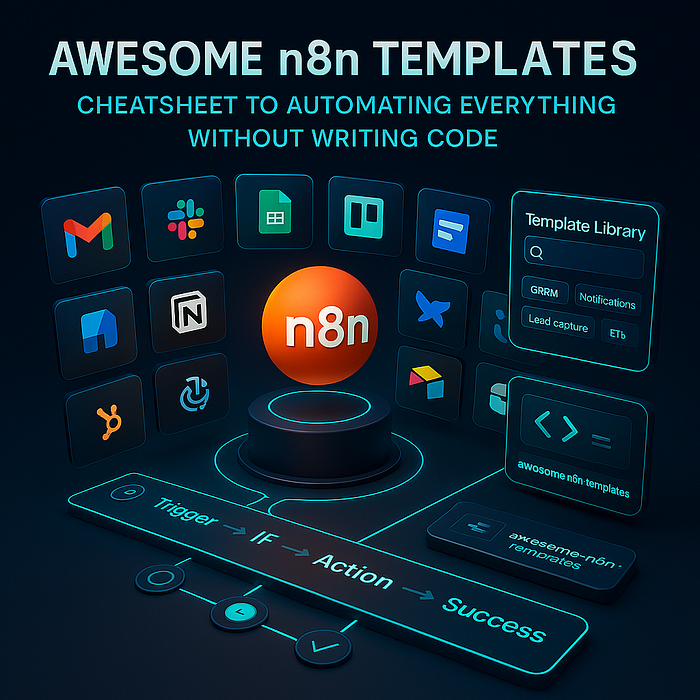
📚 Introduction: Why Templates Make Automation Easier
- Story-driven intro: "Imagine you want to connect Gmail to Slack but don't know how to code. That's where n8n templates shine."
- Explanation of the GitHub repo: awesome-n8n-templates
📂 Gmail & Email Automation
- What it does (auto-label emails, draft replies with AI, detect phishing, categorize Outlook, etc.).
- ✅ Pros (saves time, AI-powered, beginner-friendly).
- ❌ Cons (setup needed, requires API keys, privacy concerns).
- 👉 Advice (start with simple Gmail auto-label template).
📦 Telegram Bots & AI Integration
- ChatGPT bots, AI-powered storytelling, PDF-to-chat, Spotify song requests, random recipe bots 🍪.
- ✅ Pros (fun, creative, multilingual).
- ❌ Cons (needs bot token, moderation, setup).
- 👉 Advice (try "Telegram Chat with PDF" to play with AI first).
📁 Google Drive & Google Sheets
- Auto background removal, summarizing docs with AI, AI blog posting, event scheduling, sales lead scoring.
- ✅ Pros (perfect for students, marketers, small biz).
- ❌ Cons (API quota, complex flows, privacy).
- 👉 Advice (try "Summarize New Docs in Google Drive" first).
📌 WordPress Automation
- Auto-categorize, auto-tag, AI blog content generation, AI chatbot for readers.
- ✅ Pros (great for bloggers).
- ❌ Cons (content quality may vary, SEO risks, moderation needed).
- 👉 Advice (use "Auto-Tag with AI" as first step).
📋 PDF & Document Processing
- AI question answering, PDF summarization, resume parsing, invoice extraction.
- ✅ Pros (super practical for business).
- ❌ Cons (large PDFs slow, accuracy varies, setup heavy).
- 👉 Advice (start with "Ask Questions About PDF").
📊 Databases (Postgres, MongoDB, Supabase, SQLite)
- Query with natural language, AI movie recommendations, vector storage.
- ✅ Pros (powerful for devs).
- ❌ Cons (not beginner-friendly, requires DB knowledge).
- 👉 Advice (try "Chat with Postgres" if you're curious).
📂 Airtable & Notion
- Manage job apps, HubSpot chat integration, competitor research, LinkedIn outreach.
- ✅ Pros (great for startups & freelancers).
- ❌ Cons (requires Airtable/Notion setup, API limits).
- 👉 Advice (start with Airtable job applications).
📊 Summary Table of Categories
| 📌 Category        | 📚 Example Templates                           | ✅ Pros                      | ❌ Cons                |
| ------------------- | --------------------------------------------- | --------------------------- | --------------------- |
| Gmail & Email       | Auto-label, draft replies, phishing detection | Saves time, AI help         | Setup & API keys      |
| Telegram            | AI chat, PDF chat, Spotify bot                | Fun, creative, multilingual | Needs bot setup       |
| Google Drive/Sheets | Summarize docs, AI blog posts, leads          | Perfect for biz & study     | Privacy & quotas      |
| WordPress           | Auto-tag, AI content, chatbot                 | Blogger-friendly            | SEO & moderation      |
| PDFs                | Resume parsing, Q\&A, invoices                | Business-ready              | Heavy setup           |
| Databases           | Chat with SQL, AI recs                        | Powerful                    | Not beginner-friendly |
| Airtable/Notion     | Job apps, competitor research                 | Startup use cases           | API setup             |
You've made it this far 👏 — which means you're serious about learning and leveling up your skills. If you want to dive deeper into related topics, I've created several CheatSheet series and curated lists on Medium. These collections are like mini roadmaps designed for beginners and self-learners who want step-by-step guidance.
Here's where you can explore more:
- HTML CSS CheatSheet 👉 Read Here
- HTML CSS JavaScript CheatSheet 👉 Read Here
- NextJS CheatSheet 👉 Read Here (coming soon)
- ReactJS CheatSheet 👉 Read Here
- TypeScript CheatSheet 👉 Read Here
- Web3 👉 Read Here
- Git CheatSheet 👉 Read Here
- n8n 👉 Read Here
- AI 👉 Read Here (coming soon)
- JavaScript CheatSheet 👉 Read Here (coming soon)
- Visual Studio Code 👉 Read Here
- Front-End 👉 Read Here
- Informative Stories 👉 Read Here
- JavaScript 👉 Read Here
- HTML 👉 Read Here
- Tailwind CSS 👉 Read Here
- NodeJS Series 👉 Read Here
🏁 Conclusion & 👉 Beginner Advice
✨ The awesome-n8n-templates repo is like a cookbook 🍪 for automation. 🌟R Yu don't need to reinvent the wheel — just pick a recipe, follow the steps, and watch your workflow come alive. ✅ If you're a beginner:
- Start with Gmail templates (easy, familiar).
- Move to Telegram bots for fun & learning.
- Try Google Drive summaries for practical daily use.
🚀 Once you get comfortable, you'll realize: there's almost nothing you can't automate with n8n.