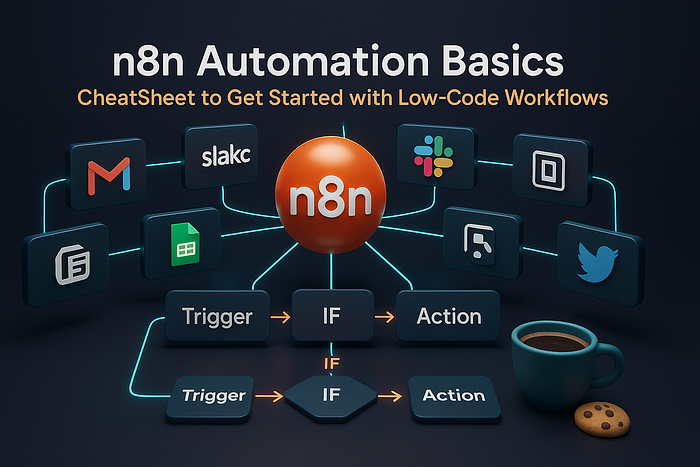
📚 Introduction: Why Automation is the Future
Let's be real — we live in an age where digital tools run our lives. From Gmail to Slack, from Notion to Google Sheets, and from Twitter to Trello… we use dozens of apps daily. The problem? They don't naturally talk to each other.
So what happens? You, the human, end up as the "glue." Copy-pasting data from one app to another. Downloading attachments. Forwarding emails. Reminding teammates. Over and over again.
This is the kind of repetitive, boring work that slowly eats away your time and energy. And honestly — you're way too smart for that 🍪.
That's where automation steps in. Automation is about teaching your apps to work together automatically, so you can focus on meaningful, creative work instead.
The best part? Thanks to n8n, you don't need to be a pro programmer. You don't need to know complex coding. With a simple drag-and-drop interface, you can build powerful workflows that save you hours every week.
This article is your CheatSheet for n8n. We'll cover:
- What n8n is and why it matters.
- How to install it and get started.
- A step-by-step breakdown of building your first workflow.
- Real beginner-friendly use cases (expanded into 50 mini projects!).
- Tips, pros & cons, and a summary table for quick reference.
By the end, you'll have the confidence to open n8n and start building automations that make your apps work harder than you do 🚀.
📂 Part 1: 🔧 What is n8n?
n8n (pronounced "n-eight-n") is short for nodemation — basically, automation with nodes. Think of it like LEGO blocks 🧱 for software.
Each block (or node) represents a task: sending an email, creating a Google Doc, or fetching data from an API. Connect them together, and you've got a workflow.
Example workflows:
- 📤 Save every Gmail attachment to Google Drive.
- 📋 Turn Google Form responses into Trello cards.
- 🔍 Get RSS news updates posted in Discord automatically.
✅ Pros of n8n
Open Source & Free 💾 — Unlike Zapier, you can self-host n8n and avoid per-task charges.
- Visual & Beginner-Friendly 🎨 — Drag, drop, connect. Easy to understand.
- Highly Flexible 📦 — Works with 350+ integrations and APIs.
❌ Cons of n8n
- Learning Curve ❗ — Too many nodes can confuse beginners at first.
- Setup Effort 📂 — Hosting requires Node.js or Docker knowledge.
- Performance 🔍 — Heavy workflows need solid infrastructure.
🏁 Conclusion & Suggestion: If you're brand new, don't worry about advanced setups. Start with n8n Cloud or a local install. Once you're confident, you can explore Docker and scaling.
📦 Part 2: 💾 Installing n8n
There are three main ways:
- 🌐 Cloud (Hosted) → Create an account on n8n.io
- 🪟 🍎 🐧 Local Install → Install Node.js, then run:
npm install n8n -g
n8n start
Open: http://localhost:5678
3. 📦 Docker → Ideal for professionals or production use.
docker run -it --rm \
  -p 5678:5678 \
  -v ~/.n8n:/home/node/.n8n \
  n8nio/n8n
✅ Pros of Cloud
- No setup headaches.
- Accessible from anywhere.
- Free plan available.
❌ Cons of Cloud
- Usage limits.
- Less control over data.
- Internet required.
✅ Pros of Local Install
- Free & private.
- Great for learning.
- Full control.
❌ Cons of Local Install
- Depends on your computer.
- Stops if machine is off.
- Needs Node.js installed.
✅ Pros of Docker
- Best for scaling.
- Deploy anywhere.
- Team-friendly.
❌ Cons of Docker
- Complex for beginners.
- Requires Docker knowledge.
- Overkill for small use cases.
🏁 Conclusion & Suggestion: Start with Cloud if you're new. If curious, try Local. Save Docker for when you're ready to scale.
📌 Part 3: 🎨 Exploring the n8n Interface
When you log into n8n, you'll see a clean canvas. This is where your workflows live.
- 📂 Canvas → Drag and connect nodes.
- 🔧 Node Menu → Choose integrations.
- 📋 Execution Logs → Debug when things fail.
- 💾 Workflow Settings → Save, schedule, activate.
It's basically a flowchart that runs in real life.
✅ Pros of Visual Interface
- Beginner-friendly drag-and-drop.
- Logical flow is easy to follow.
- Debugging is clear with logs.
❌ Cons of Visual Interface
- Can get messy with huge workflows.
- Still need logic thinking.
- Limited for very complex code cases.
🏁 Conclusion & Suggestion:
Keep your workflows neat. Label nodes (Email Trigger, not just Node1). Future you will thank you.
📋 Part 4: 🔄 Building Your First Workflow
Let's build a Hello World workflow:
Gmail → Slack Notification
Steps:
- Add a Gmail Trigger node.
- Add a Slack Send Message node.
- Connect them with an arrow.
- Run the workflow.
- Now, every time you get a new email, you'll get a Slack alert instantly.
✅ Pros
- Useful in daily work.
- Takes less than 5 minutes.
- Teaches trigger → action concept.
❌ Cons
- Needs API credentials.
- Too simple for advanced use.
- Only works while active.
🏁 Conclusion & Suggestion: This is your automation "Hello World." Celebrate the win 🎉 and then add conditions (e.g., only urgent emails).
🔐 Part 5: 📂 Authentication & API Keys
Many nodes require credentials. In n8n, you authenticate once, then reuse it in multiple workflows.
Example:
- Gmail → Login via OAuth.
- Slack → Paste bot token.
✅ Pros
- Secure 🔐.
- Reusable across workflows.
- Supports modern OAuth.
❌ Cons
- Setup may confuse beginners.
- Tokens can expire.
- Security risk if shared carelessly.
🏁 Conclusion & Suggestion: Start with test accounts. Once you're confident, move to real production accounts.
📋 Part 6: ❗ Debugging & Best Practices
Things will break. And that's normal.
Tips:
- Use execution logs 🔍.
- Add error triggers.
- Use retries.
✅ Pros
- Built-in tools.
- Easy testing.
- Error workflows supported.
❌ Cons
- Requires patience.
- API-specific errors.
- Logs look technical.
🏁 Conclusion & Suggestion: Don't be discouraged by errors. Debugging is a skill. Every error is a lesson.
📁 Part 7: 🌳 Scaling & Organizing
As workflows grow:
- Break into sub-workflows.
- Name and document clearly.
- Keep things modular.
✅ Pros
- Clean structure.
- Easier debugging.
- Scales with team.
❌ Cons
- More upfront effort.
- Requires discipline.
- Not obvious for beginners.
🏁 Conclusion & Suggestion: Think long-term. Don't wait until it's messy to organize.
📊 Part 9: Summary Table
| 📌 Feature     | ✅ Pros               | ❌ Cons              | 💡 Suggestion       |
| --------------- | -------------------- | ------------------- | ------------------- |
| Open Source     | Free, flexible       | Setup effort        | Start small         |
| Install Options | Cloud, Local, Docker | Complexity varies   | Begin with Cloud    |
| Interface       | Drag-and-drop        | Messy for big flows | Label nodes         |
| First Workflow  | Quick win            | Too basic           | Add filters         |
| Authentication  | Secure, reusable     | Setup tricky        | Test accounts first |
| Use Cases       | Productivity boost   | API limits          | Start with fun      |
| Debugging       | Built-in logs        | Requires patience   | Embrace errors      |
| Scaling         | Modular              | Upfront work        | Plan ahead          |
🚀 Final Words: Take Your First Step Today
Automation isn't about replacing humans — it's about giving humans their time back. Every little workflow adds up: 10 minutes saved here, 20 minutes there… suddenly you've got hours back every week.
👉 My advice:
- Don't try everything at once.
- Pick one small project (like Gmail → Drive).
- Build it, run it, celebrate the success.
- Then add more layers slowly.
🌟 Remember: You don't need to be a coder to automate. You just need curiosity, patience, and a tool like n8n.
🏁 Open n8n today, drag your first node, and launch your automation journey 🚀.