Don't have full access? Click Here to Read the Full Article for Free!
Since the beginning of my degree, I have been very interested in research, particularly in Neuroscience, Psychology, and Animal Cognition.
For that, I had to learn multiple things, making my academic life chaotic.
With time, I started applying the Second Brain technique and Ultralearning to build my academic workflow.
So in this article, I wanna share with you my Top 6 favorite tools that I use every day for research.
By the end of this one, you will get tons of tools to start applying today!
"Baby let the games begin" — Taylor Swift
Top 6: Unpaywall and scite_
Did you have trouble finding research papers?
For those who don't know, sometimes you need to pay to read a scientific paper.
And no, it's not cheap.
Somethings journals ask you to pay 50 USD just to get a PDF that you don't know if it will be useful …
If your institution doesn't have access to that research database, you may lose a lot of time just trying to contact the first authors or trying to find the PDF or a pre-print somewhere.
Well, say goodbye to that problem!
This Google Extension will make your life easier.
It's called Unpaywall, and you can download it for free in Google's Store.
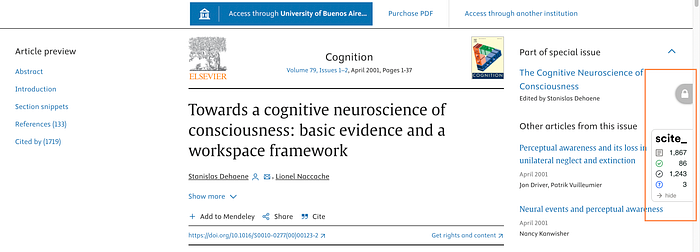
How it works is very simple: when there's no full access, the lock will display gray, like in this example:
But when the paper is open access, it will be green like here:
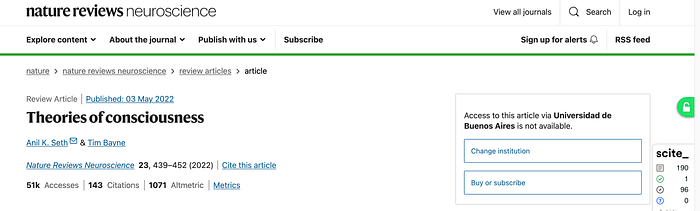
So now you can quickly scan if a paper is open access or not!
Additionally, if you click on the lock, it will take you to a link where you can find the full PDF ready to download.
Another tool is scite_, which gives you the total citations and references that an article uses.
Again, this is cool to do a quick scan of a paper.
But if you still can't find your paper, then the next tool will save you.
Top 5: Research Gate
Ladies and gentlemen, the social media for academics: Research Gate.
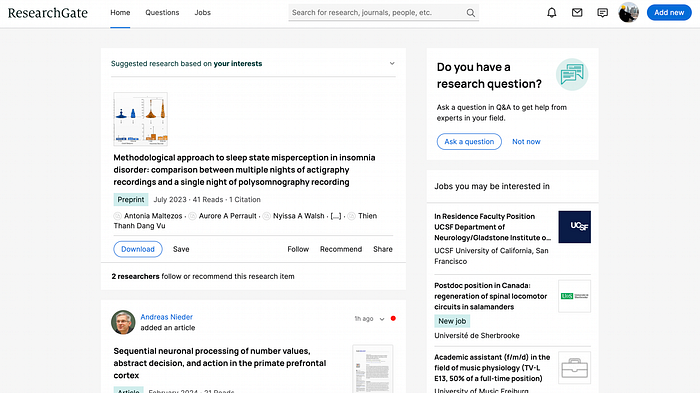
Research Gate is a place where researchers can share their publications.
You can look up research topics, journals, people, articles, etc.
What is great about Research Gate is that authors can add their PDFs to their publications!
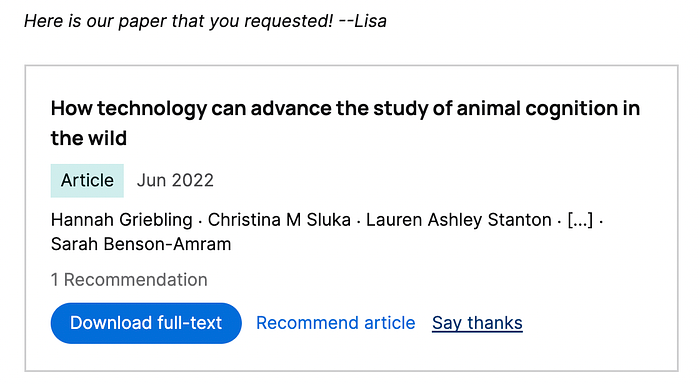
If not, there's an easy way to contact people, and most of the time they will kindly share the article with you.
For example, I didn't have access to this very interesting paper. So I kindly ask for it to the authors, and they sent it to me!
The only thing you need to start using Research Gate is an academic email.
Once you get that you can start using it!
Top 4: Obsidian
If you haven't read my articles before, I write a lot about study techniques, organization, and productivity.
One of my best recommendations to anyone is to write down notes about everything, from ideas to insights that you get from your papers.
There are several software for note-taking, including Notion, Obsidian, and Evernote.
I personally love Obsidian, as I have more freedom about my notes and I can custom it as I wish.
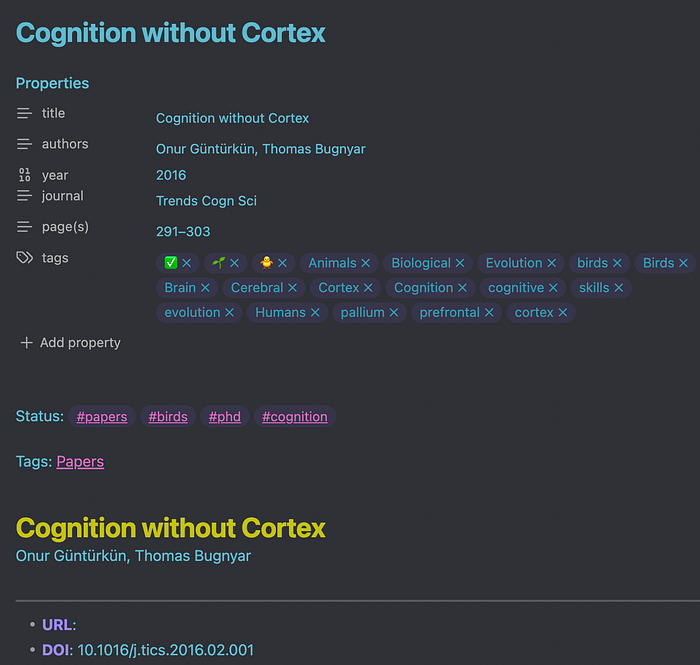
For example, this is how a note for a particular paper looks like:
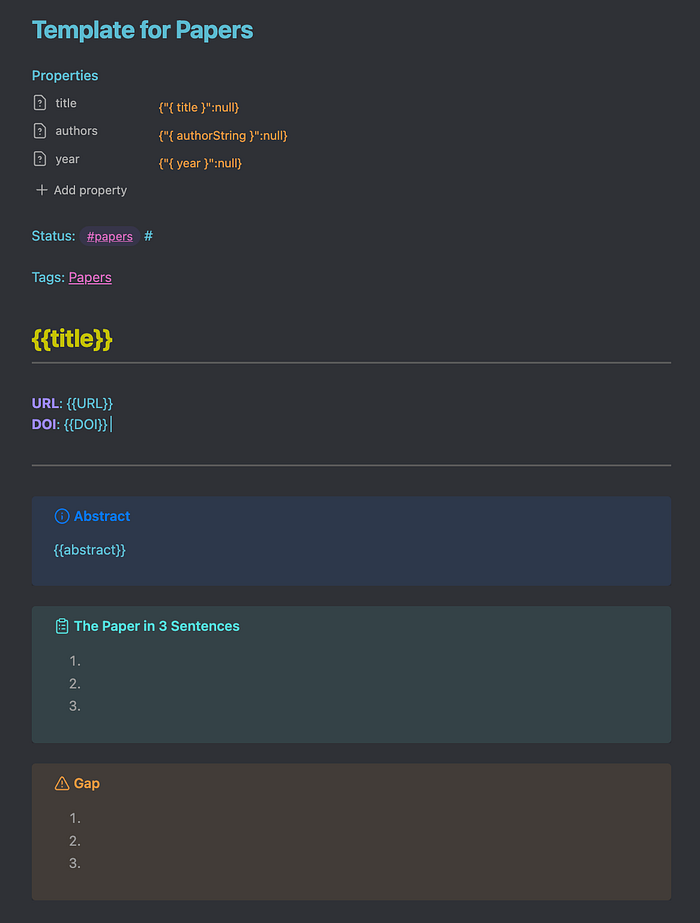
And this is the template that I use to take notes from scientific papers:
Looks cool?
Well, thank you!
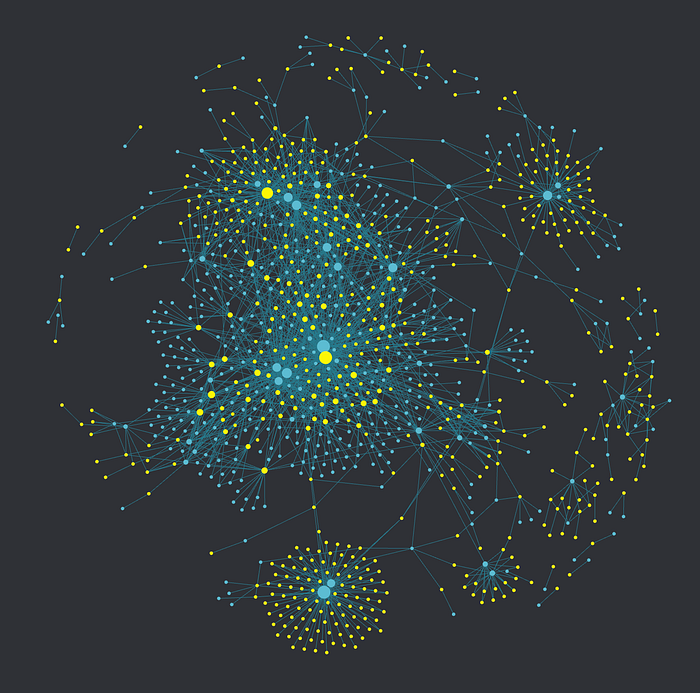
You can also create tags to link notes with other ones, making a beautiful universe of notes. This is mine:
But the greatest thing is you can automate your note-taking with my number 1 tool recommendation 👀
Top 3: Research Rabbit
In Top 3 we have one of the greatest creations for academics: Research Rabbit.
When starting a research project, we need to look up tons of papers.
Sometimes, this can take weeks of work.
You already know how stressful is this sometimes, right?.
Well, Research Rabbit simplifies this massively.
First, you need to go to Research Rabbit and add a paper.
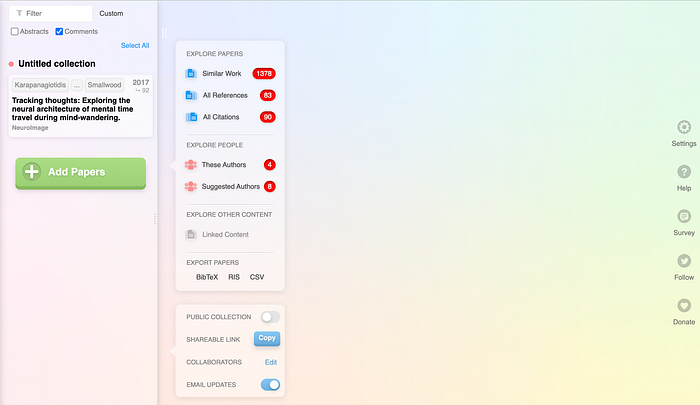
Second, you can either select all citations, all references, or similar work from the paper you uploaded.
When selecting the last one, magic happens:
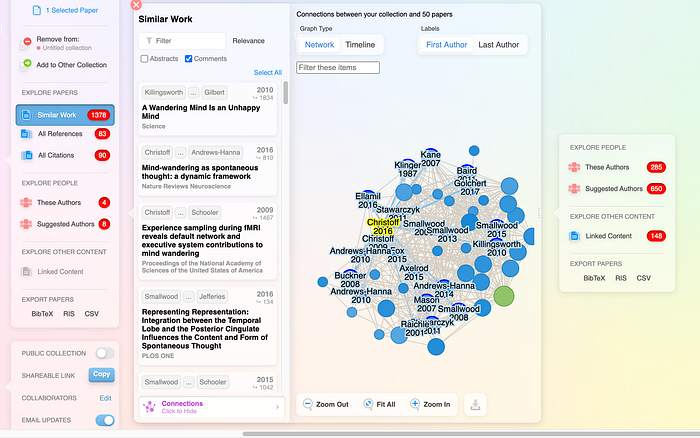
All those nodes are papers.
If you're working on a review, you can select "All references" or "All citations" and check the papers they used.
This is also useful if you're looking for replicated papers.
Research Rabbit saved me a lot of time, and I'm pretty sure it will help you as well.
The best part?
You can also integrate it with the Top 1 Tool of this article.
Top 2: SciSpace
The second place goes for a recent AI that simplifies getting information from papers.
And as they say on their main page, you can do hours of reading in minutes.
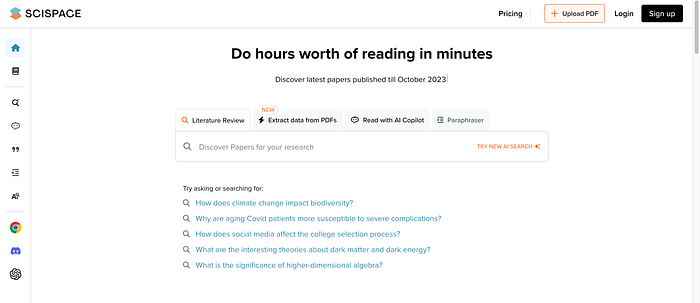
I'm absolutely in love with SciSpace.
You can upload a PDF of your research paper and ask questions about it!
Look at this example:
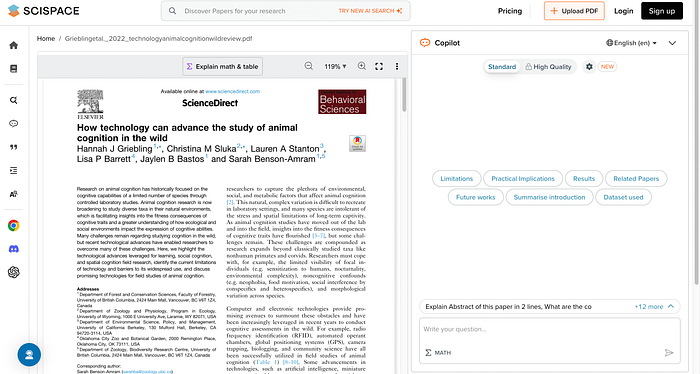
I can ask for limitations, practical implications, results, future works, dataset used, etc.
In other words, you can chat with the paper!
Let's see what I get from the results:
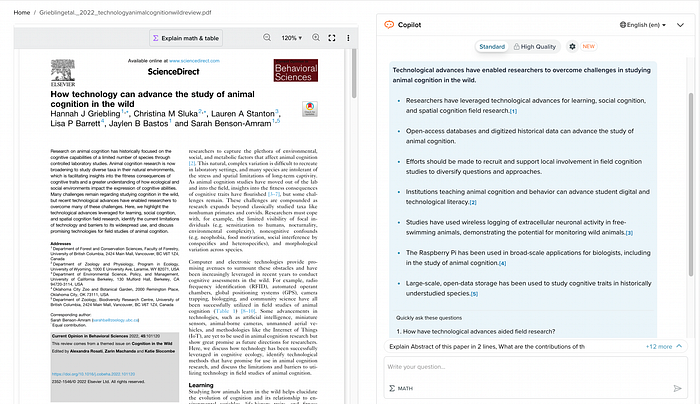
Incredible, isn't it?
Now you can quickly screen any research paper and get a fast insight into what it is about.
You MUST start using it now!
Top 1: Zotero
Finally, we got to the number 1 tool of excellence for any researcher: Zotero.
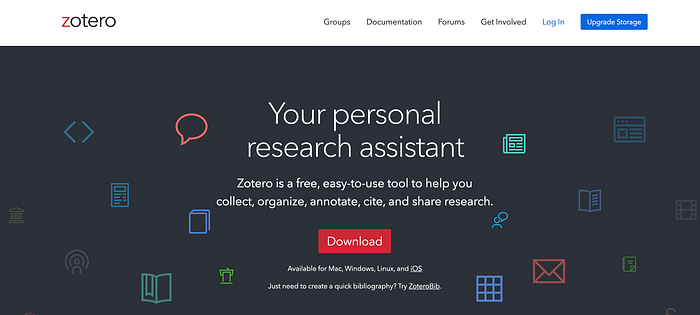
Zotero works as a library to collect, organize, annotate, and take notes from your papers:
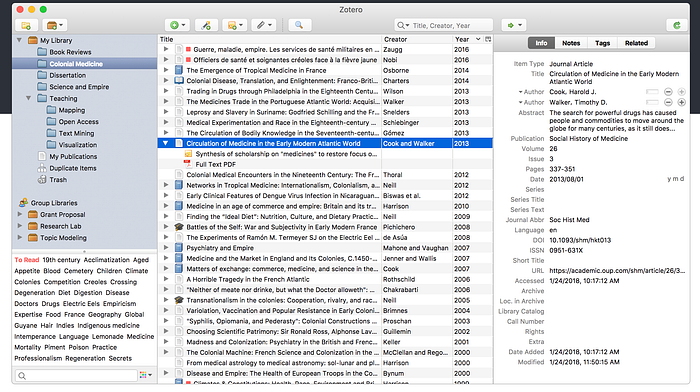
I organize my folders using the P.A.R.A Method:
Then, I store my papers using Zotero Connector by just clicking on the top right book icon.
After storing it, I start taking notes:
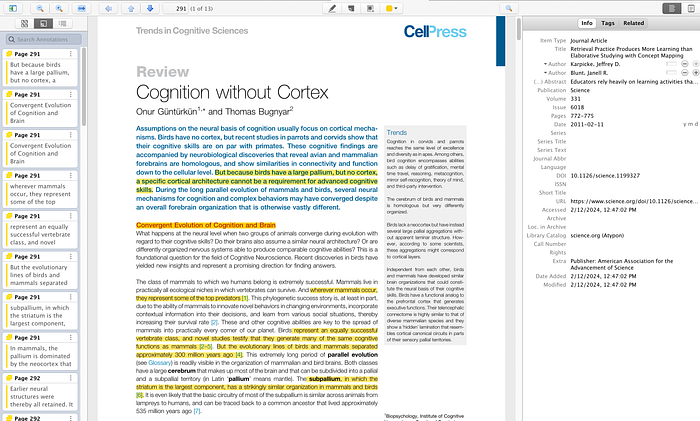
But there's more!
- You can export your notes (I use that to synchronize Obsidian to Zotero to automate my note-taking).
- You can connect Zotero with Research Rabbit.
- You can add several plugins.
- You can use Zotero to cite in Google Docs or Word.
- You can use its App to take notes on your tablet, iPad, or smartphone.
- You can share your research folder with more people.
I'm absolutely in love with Zotero. It is my top 1 tool for doing research, as I can combine it with every tool I use.
The best part?
It's free.
Conclusion
That was a lot of information!
To recap, you learned 6 tools that will make your research or academic life way easier:
- Unpaywall and scite_ to scan and get free papers.
- Research Gate to connect with academics and ask for papers.
- Obsidian for note-taking.
- Research Rabbit to connect with similar, cited, and referenced papers.
- SciSpace to chat with your research.
- Zotero for storing, note-taking, citing, and synchronizing with other apps.
I hope you found these tools useful.
Good luck!
🦜 If you liked my post, please clap 👏 50 times for more content about Neuroscience, Psychology, Productivity, Animals, and Python.
And don't forget to follow me for more :)
Thanks for reading.
My Friend retro games NES SEGA