
I have spent the last couple of months living inside Claude Code. I have used it to build complex graphics, internal tooling, and several commercial projects that are still under wraps. Because I am operating on the Max plan, which is subsidized by Anthropic, I have enjoyed the rare luxury of pushing this tool to its absolute limits without worrying about the meter running.
I have burned through millions of tokens. I have spent hundreds of hours in the interface. And through that exhaustion and experimentation, I have come to a firm conclusion about what works and what does not.
There is one thing I am absolutely not doing. I am not vibe coding.
There is a tremendous amount of noise in the industry right now about running AI in a loop. The dream is seductive. You give the AI a Product Requirement Document (PRD), you set it loose, and you sit back while it churns through the steps. I have tried this. The results were consistently unconvincing.
I believe AI is the most powerful tool for developers we have ever seen, but I also believe the developer must stay in the driver's seat. If you want to move beyond toy apps and actually ship robust software, you cannot treat the AI like an employee. You must treat it like a high-velocity exoskeleton.
Here are my top 6 strategies for using Claude Code efficiently.
1. I Do Not Loop (The "Ralph" Anti Pattern)
You have likely seen the hype surrounding the "Ralph Loop." The concept is simple enough. You hand Claude a detailed plan, wrap it in a bash loop, and let it work its way through the document step by step until the product is finished.
I agree that planning matters. A detailed plan is essential for any engineering effort. However, I am not a fan of the AI working through that plan on its own.
I tried the loops. I let it run unsupervised. Honestly, I lost control of the quality almost immediately. We have to remember that AI is a token generator, not a sentient architect. When you let it run without human intervention for extended periods, it drifts. It makes small assumptions that compound into large architectural failures.
I prefer to stay in control. I treat AI as a pair programmer rather than an autonomous employee. I want to see every commit, every logic shift, and every implementation detail.
2. Live in "Plan Mode"
If you take only one thing away from this article, let it be this strategy. Use Plan Mode.
In Claude Code, you can cycle through different modes using Shift+Tab. Plan Mode is not negotiable for me. It completely changes the interaction model. Instead of executing changes immediately based on your prompt, Claude gathers information, explores the codebase, and looks up documentation first.
This is superior for two specific reasons.
First, it saves bad prompts. If my prompt is vague or lacks context, Plan Mode asks clarifying questions instead of confidently writing garbage code. It acts as a buffer between my intent and the codebase.
Second, it creates a contract. It shows you exactly what it wants to do before it does it.

Pro tip: Do not just blindly hit "Accept" on the plan. Edit it. If Claude says, "I will update the text on page 44," and you do not like how it is phrasing the update, change the plan text right there in the terminal. Tweak the plan to your exact liking before a single line of code is written. It saves tokens, time, and the frustration of rolling back bad changes.
3. Use Custom Agents and Skills
Context windows are large today, but they are not infinite. If you dump your entire documentation history into the chat, you will degrade performance. To manage this, I use subagents and skills.
Claude Code allows you to spin up subagents with their own dedicated context windows. I built a "Docs Explorer Agent" specifically optimized for browsing documentation. I equip it with tools like web search or the Context 7 MCP. For those unfamiliar, an MCP is a server that gives agents easier access to third-party documentation.
This setup keeps my main context window clean while the agent goes off to hunt for specific API references or library details.
I also rely heavily on Skills. Skills are essentially lazily loaded rule sets. If I am working in a Next.js project, I do not want to type out "use the App Router" or "use server actions" every single time. instead, I load a "Next.js Best Practices" skill that Claude reads only when it decides it needs it.
You can use open source skills, like the ones provided by Vercel, but I prefer crafting my own. I have specific design patterns I like. I want the AI to code like me, not like a generic tutorial it found on the internet.
4. Explicit Over Implicit
I treat AI like a brilliant junior developer who is incredibly fast but completely lacks intuition. I never "hope" it does the right thing. I tell it exactly what to do.
If I am using a library like BetterAuth and I want Google authentication, I do not just say "add auth." That is a recipe for hallucinations or outdated implementation methods.
I say: "Use the Docs Explorer agent to read the BetterAuth documentation on Google authentication, then implement it." [/Italicize]
I am explicit about the tools it should use and the steps it should take. If I know what I want, I articulate it clearly. Leaving room for interpretation is just gambling with your tokens. The AI cannot read your mind, so stop expecting it to guess your architectural preferences.
5. Trust, But Verify (and Automate Verification)
Blind trust is the enemy of good software. When Claude generates code, I review it line by line. I do not dismiss it because "it is just AI," but I also do not assume it works just because it looks syntactically correct.
To make this easier, I give Claude the tools to verify itself.
Linting commands: I let it run the linter to catch syntax errors immediately. [Bold this] Tests [/Bold this]: I ask it to run unit tests or end-to-end tests to prove the code works. [Bold this] Browser Access [/Bold this]: Using the Playwright MCP, I can let it open a browser to visually check its work, though I use this sparingly because it burns tokens at a very high rate.
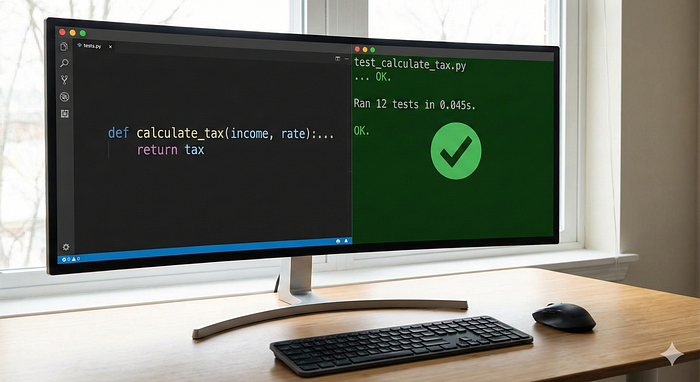
A crucial warning here. Be very careful with AI generated tests. The model loves to adjust the test to match its broken code just to make the light turn green. You still need to review what it is actually testing to ensure the test is valid.
6. You Are Still Allowed to Write Code
This sounds obvious, but in the age of generative AI, we often forget it. It is not an either-or choice.
I have fallen into the trap of handing off too much work, only to realize I no longer understood my own codebase. That is a dangerous place to be. If the AI is struggling with a logic puzzle, or if it is a trivial one-line change that is not worth the API cost, just write the code yourself.
I am a developer. I actually like coding. With tools like Cursor and VS Code, writing code manually has never been faster. Do not let the AI rob you of the fun parts, and definitely do not let it detach you from the reality of your software.
Conclusion
AI is not going to replace the architect. It is going to amplify them. But that amplification only happens if you stop trying to automate yourself out of the process.
Stay in the loop. Force the AI to plan before it acts. verify everything. And never, ever stop writing code. The goal is not to do less work. The goal is to build better software.
Read my previous articles.
Edited for Write A Catalyst by Wandering Mind